Daily standups in TeamRetro: post before you meet, and keep every blocker in sight
Daily standups are now in TeamRetro. Post updates before you meet, carry blockers forward until they clear, and share an AI summary when you close.
Daily standups in TeamRetro are now available on every plan, and they sit next to your retrospectives and health checks. Everyone posts an update when their day starts, so any time you do spend together goes on the problems. Every blocker becomes an action on the list your team already works from. The standups page shows how it works, and you can run your first one on a free trial.
Ask trAI for the summary that suits you
Not everyone wants the same view of the team’s updates. A product owner may care about one project, a manager about the whole week, and an engineer about what is blocking them. Ask trAI in your own words and it pulls the summary from your team’s standups in the shape that makes sense to you. For example:
- “Give me an update on what’s happening with Project X.”
- “Summarize this week’s activity from our standups.”
- “What’s still blocked, and who owns it?”
- “What has Maya worked on since Monday?”
Why the daily sync belongs next to the retro
The standup is the meeting most teams run most often, and the one whose output disappears fastest. A blocker raised at 9:15 has usually been forgotten by lunch. Two people agree a handoff in passing, and on Thursday each of them finds out the other has been waiting since Monday.
Retrospectives and health checks have the opposite problem. They produce actions and agreements that matter, but only every couple of weeks, and the daily friction that should feed them lives in a chat thread or a call nobody wrote down.
Standups close that gap. They join retrospectives, health checks and estimation in TeamRetro, and all four share one action list, one set of agreements and one record of how the team is trending. A blocker raised on Tuesday morning is the same item the retro reviews on Friday, with the same owner and the same due date. In other words, it helps you remember, so you don’t have to.
What you get straight out of the box
Async by default, live when you need it
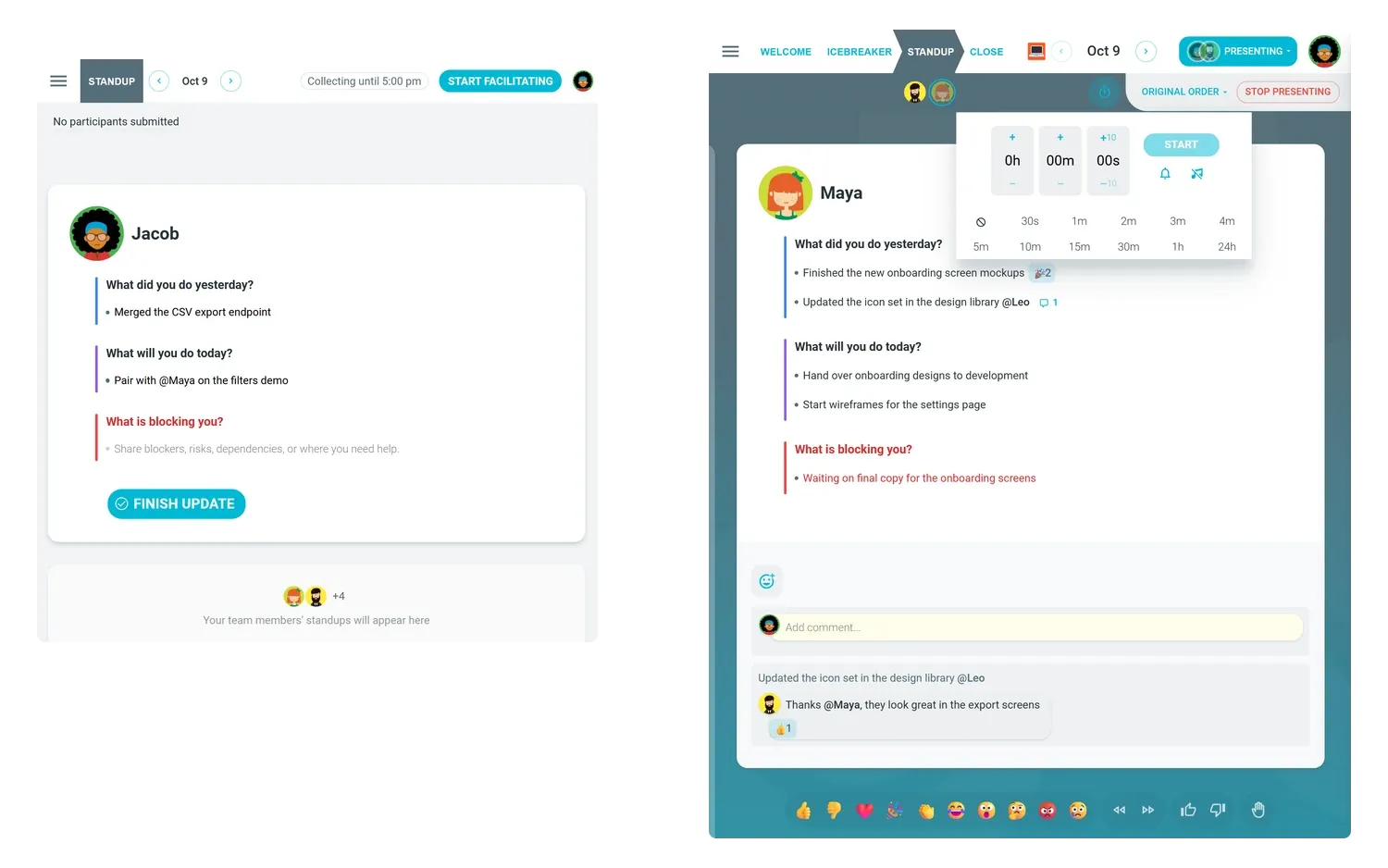
Each day gets its own standup room that stays open. People post when their day starts, and teammates reply with comments, reactions and @mentions. When something needs talking through, a facilitator takes the standup live in present mode, walking through each update with live reactions, and can add a timer or open with an icebreaker.
A template for each kind of check-in
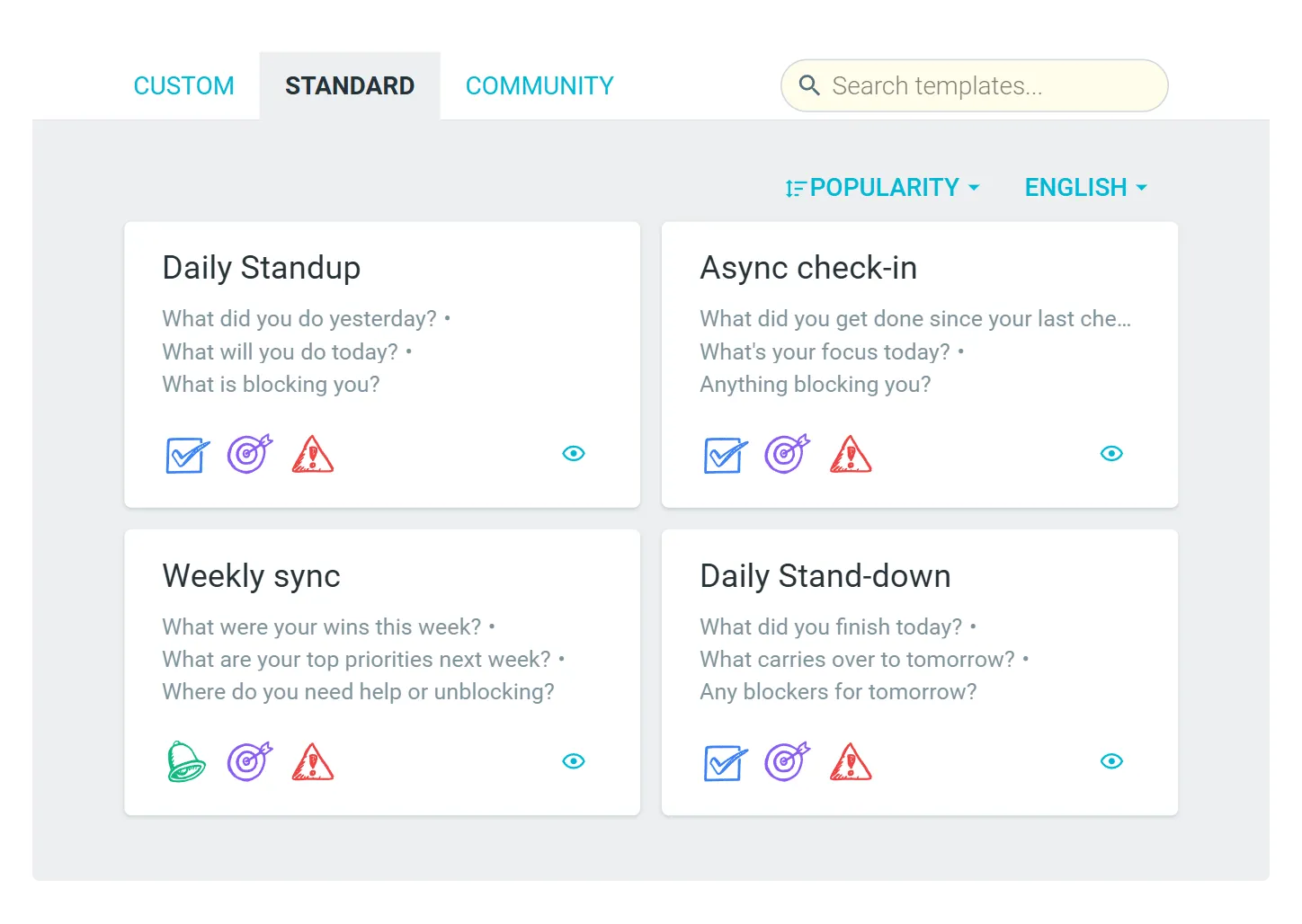
Start from Daily Standup, Async check-in, Weekly sync or Daily Stand-down, or write your own questions and save them as a team template. Each question is marked as done, doing or blocked work, which is how TeamRetro knows what to carry forward and what to count as a blocker. You can add the sprint goal too, so every update is read against it.
Set it up once
Choose the days and the time, and TeamRetro sends the invites and a reminder to anyone who hasn’t posted yet, by email, Slack or Microsoft Teams. Updates are written in TeamRetro, and the reminder carries a button that opens the standup.
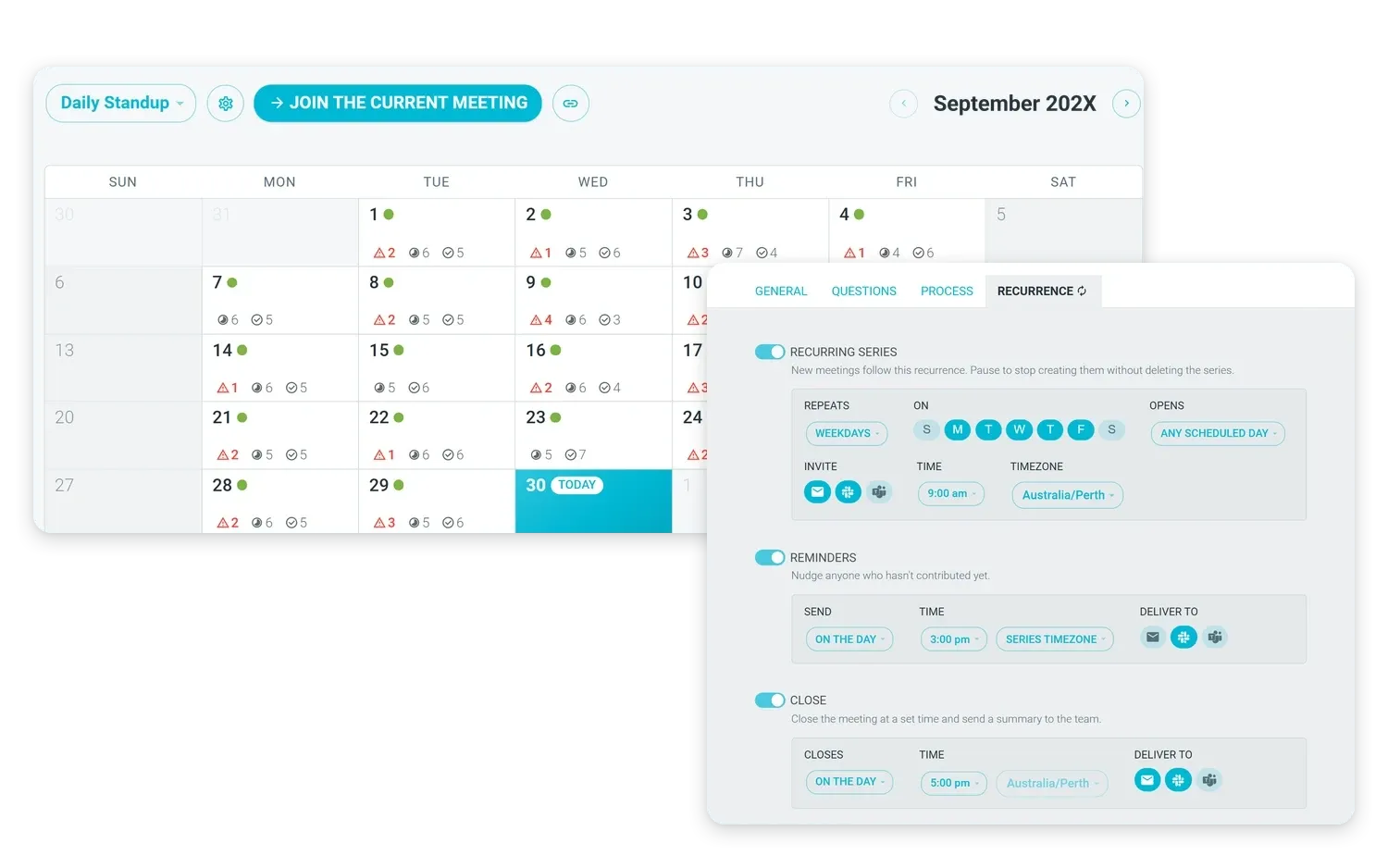
Yesterday’s plan comes back to you
The next morning, your previous update waits at the top of the new one. Close each line as done, continued or still blocked, and a blocker that is still blocked shows how many days it has been open.
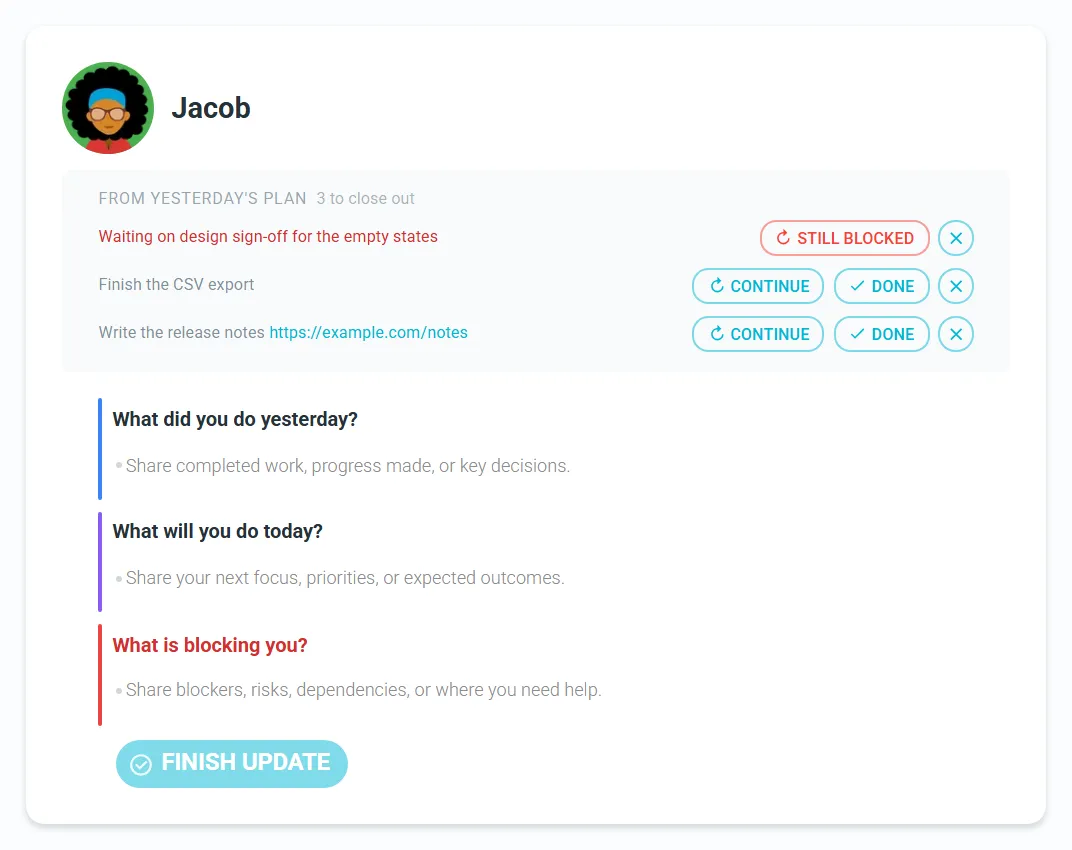
Blockers become actions
Give a blocker an owner and a due date from the standup’s Actions pane, or ask trAI, TeamRetro’s AI assistant, to create actions for the day’s blockers. They join the same list as your retrospective and health check actions, and they stay in sight until someone clears them.
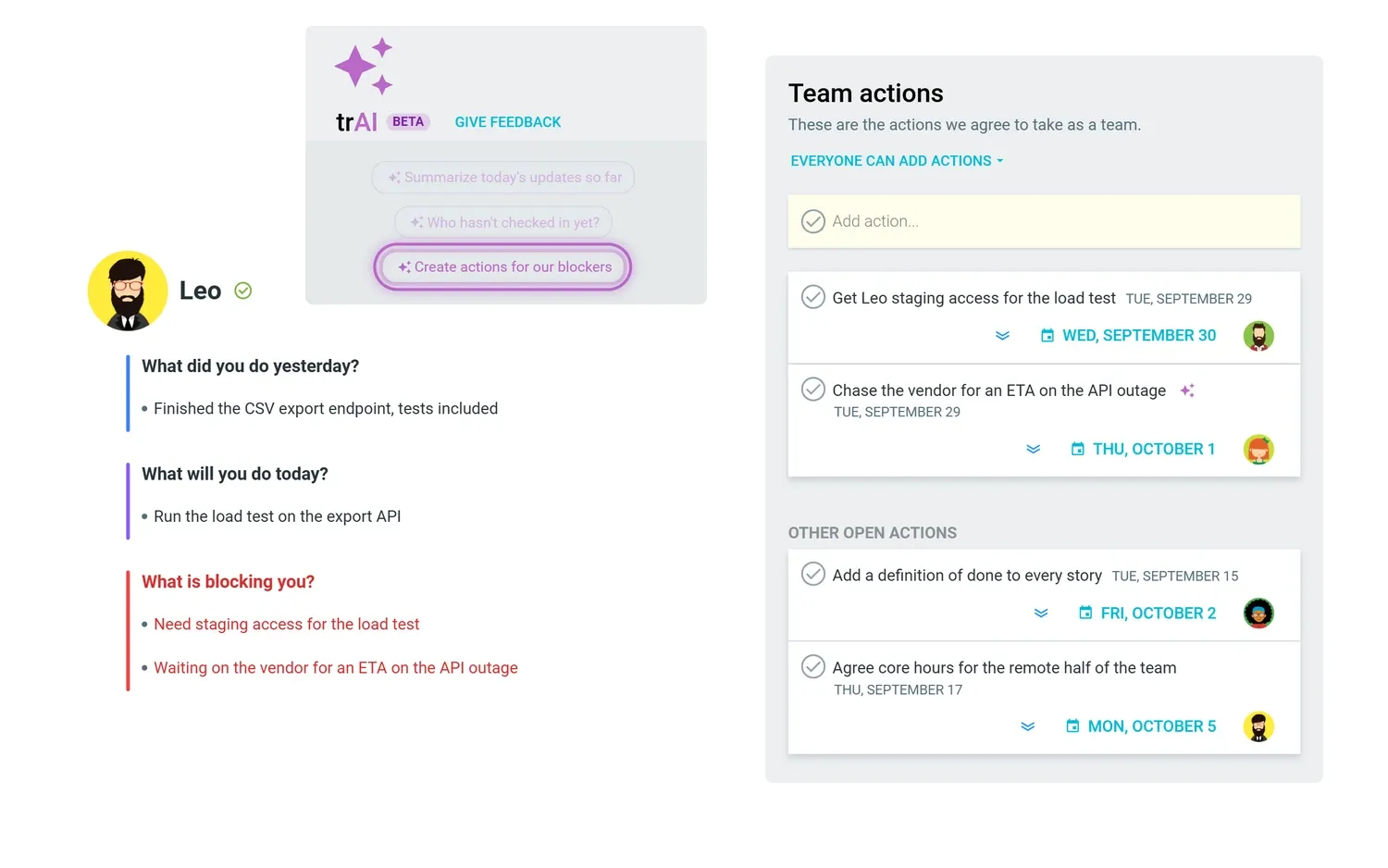
A summary when it closes
Each standup closes with a list of blockers, tasks and participation, plus an AI summary you can edit before you share it. The team gets it by email, or as a post in your Slack or Microsoft Teams channel, and you can download it for people outside the team. Inside the standup, trAI can cut the same updates by sprint goal, by person, by project or across last week.
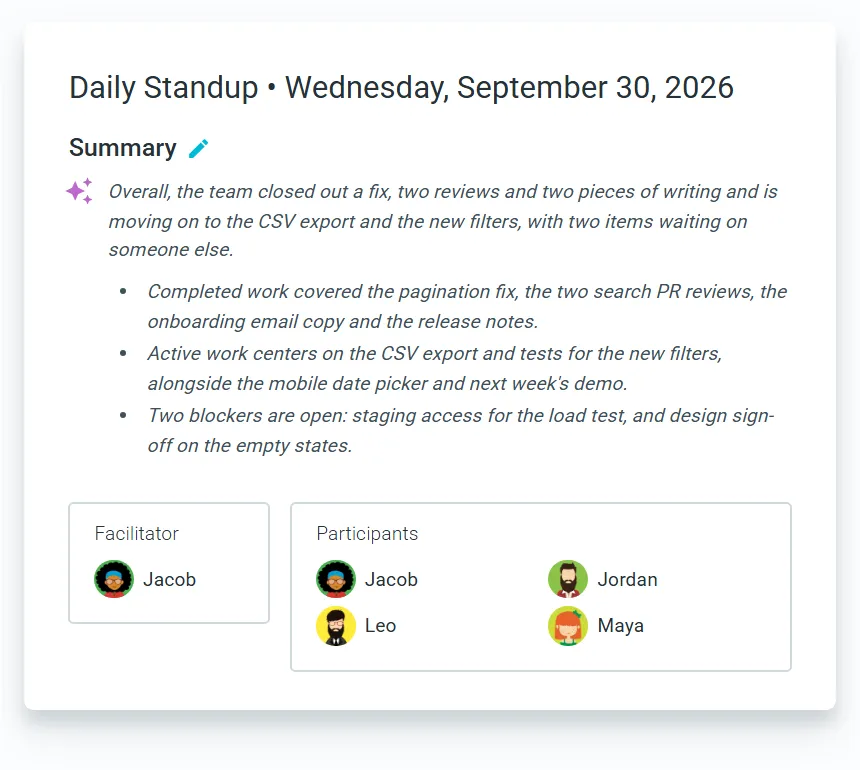
Async, live, or a blend
Most distributed teams settle on a blend: written updates by default, plus a short live window for the two or three things that need a conversation. The format should be a choice your team makes, and a daily video call kept out of habit is a choice too. Our guide to async and remote standups covers when the written format works better, and how to keep people posting to it.
How to run an effective daily standup
On your team, open the Standups tab, choose Create a standup series, pick a template and create the standup. Standups are included on every TeamRetro plan, including the free trial. If you are new to TeamRetro, start a free trial and run your first standup this week. For the facilitation side, from the three questions to the anti-patterns that make people dread the meeting, read the complete guide to daily standups.
Frequently asked questions
Can we run the standup without a meeting?
Yes. Async is the default. Each person posts their update in the standup room whenever their day starts, and teammates reply with comments, reactions and mentions. A facilitator can still take it live when something needs a conversation.
Does it work with Slack or Microsoft Teams?
Yes. Connect either one and TeamRetro posts the invites and reminders in your channel, with a button that opens the standup. Updates are written in TeamRetro, and when the standup closes the summary can be posted back to the channel.
What happens to a blocker raised in a standup?
It comes back at the top of the owner’s next update until it is cleared, with a count of the days it has been open. Give it an owner and a due date and it joins the same action list as your retrospective and health check actions.
Which plans include standups?
Every TeamRetro plan, including the free trial.
Where can I find more tips on running better daily standups?
Our Daily Standup Guide covers the questions to ask, how to keep the meeting short and the anti-patterns to avoid. If your team is distributed, read the section on async and remote standups.
Related posts
- October 8, 2026AI sentiment in retrospectives: what it could mean for your team
- June 25, 2026Online whiteboards for retrospectives: templates and techniques that work
- November 11, 2025What is planning poker? A beginners guide for agile estimation
- February 7, 2024Scrum paradigms: chickens vs pigs and the Observer Role in agile meetings

- July 29, 2020Feature spotlight: define your retrospective templates
- July 29, 2020TeamRetro templates now available in multiple languages!
- September 23, 2026CLAUDE.md for teams: how we turned five people's AI memories into shared rules
- August 20, 2026Meet trAI, your in-meeting AI assistant