Microsoft Teams Integration
Connect TeamRetro retrospectives and health checks with Microsoft Teams — run sessions and share outcomes and actions where your team works.
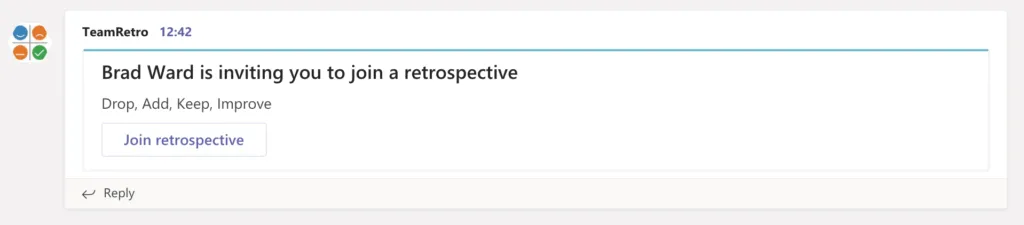
Invite your team via your Microsoft Teams channel
Get your retrospective or team health check quickly underway by posting an invite to Microsoft Teams.
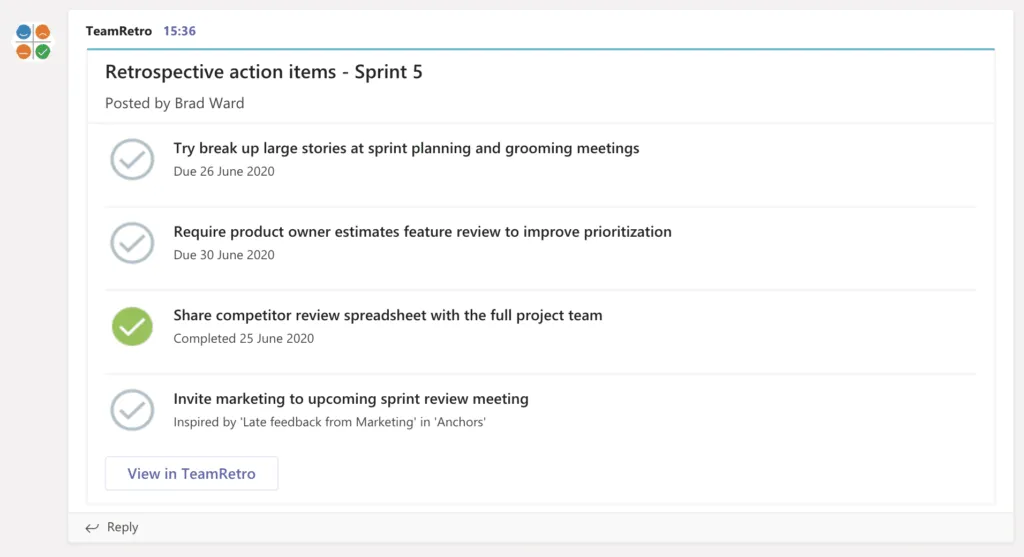
Post your team action items to your Microsoft Teams channel
Keep on top of your retrospective or health check action items – post them to your Microsoft Teams channel!
Daily stand-up reminders and summaries in Microsoft Teams
The same connection works for your daily stand-up. TeamRetro reminds the team in your Microsoft Teams channel when it’s time to post, with a button that opens the stand-up in TeamRetro, where everyone posts their update. When the stand-up closes, it posts a digest back to your channel with an AI summary, each person’s update and the actions agreed, so a team spread across time zones stays in sync without a meeting that suits nobody’s morning.
Add an action for a blocker, give it an owner, and it joins the same action list as your retrospectives and health checks, so it gets followed up instead of forgotten.
Looking for step-by-step instructions?Read the setup guide
Enterprise-grade security, compliance, and control
TeamRetro is SOC 2 Type 2 accredited by an independent auditor who has evaluated our policies, product, platform, and infrastructure in accordance with the Standard on Assurance Engagements (ASAE 3150). Explore TeamRetro for Enterprise.


GDPR compliance and regional hosting (US & EU)

Single Sign-On (SSO) via SAML

SCIM for scalable user provisioning

Audit logs available on request
We maintain 99.99% uptime, with fast-response SLAs to ensure your teams stay productive and supported.Explore enterprise