Online whiteboards for retrospectives: templates and techniques that work
Run retrospectives and health checks on an online whiteboard built into the session, with templates like 5 Whys and Fishbone and techniques that surface the honest stuff.
Most teams use an online whiteboard the same way. Someone opens a blank canvas, people drop in sticky notes, and then everyone stares at a wall of disconnected ideas trying to work out what to do with them. It is better than nothing, but it is a long way from what a structured visual session can do.
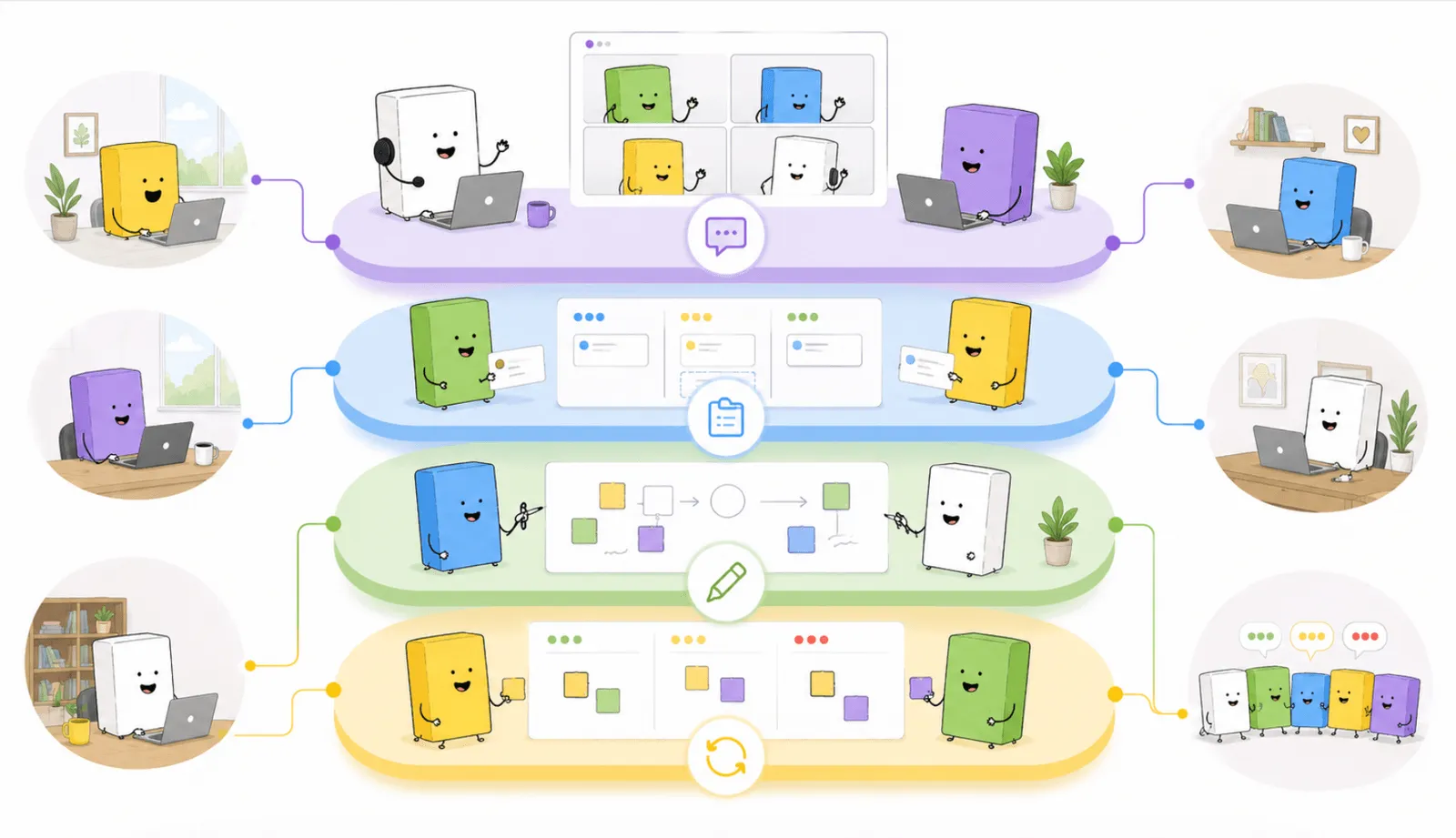
The teams that improve fastest are not the ones with the most tools. They are the ones who run sessions with a clear flow: think privately, group by theme, vote on what matters, dig into the causes, and leave with actions someone owns. That is a method, not a feature. So instead of pointing teams at a separate whiteboard and hoping the method survives the tool-switching, we built the whiteboard into the session. This guide covers where a visual canvas earns its place across retrospectives, health checks, and estimations, and the templates that make it useful.
Why a blank canvas is not enough for a team session
A blank canvas is a starting point, not a method. For a retrospective, a health check, or a planning conversation, what a team actually needs is a flow that protects honest input and ends in something concrete. Three things break down on a general whiteboard without that structure:
- Ideas stay disconnected. Sticky notes pile up with no way to surface the relationships between them. The team discusses individual points instead of the pattern underneath, treating symptoms rather than causes.
- The loudest voice still wins. Without independent input, where everyone adds their thoughts before anything is visible to others, the first few contributions anchor the conversation. Quieter people self-edit before they have even typed a note.
- Actions do not survive the session. When the board is the only artifact, the actions live on a canvas that gets closed at the end of the call. There is no carry-forward, no owner, no accountability.
This is where psychological safety and structure meet. A session that supports private input, guided steps, and visible action capture does not just run more smoothly. It creates the conditions where people say what they actually think, which is the only version of a retrospective worth running. Harvard’s Professor Amy Edmondson, whose research on psychological safety underpins how high-performing teams operate, found that people speak up more honestly when they are protected from immediate judgment. Independent brainstorming, private until the facilitator reveals the board, is how that protection gets built into the session by default.
The gap a facilitator pointed out
A senior agile practitioner on a large, distributed team described the gap precisely. Her team follows the standard flow of brainstorming, grouping, and voting. Where she got stuck was right after the team aligned on the topic they most wanted to discuss.
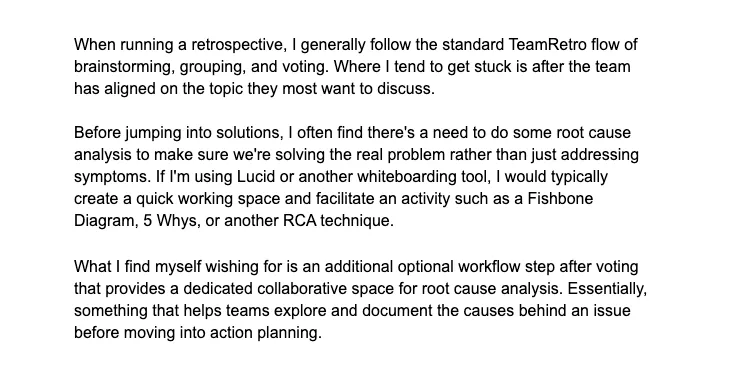
Real feedback from a facilitator on a distributed team, and one of the requests that shaped how we built whiteboards into TeamRetro (personal details redacted).
Before jumping to solutions, she wanted to do some root cause analysis, to make sure the team was solving the real problem rather than a symptom. With a separate whiteboarding tool she would spin up a quick working space and run a technique like a Fishbone diagram or 5 Whys. Inside a retrospective, there was no good home for that. In her words:
“What I find myself wishing for is an additional optional workflow step after voting that provides a dedicated collaborative space for root cause analysis. Essentially, something that helps teams explore and document the causes behind an issue before moving into action planning.”
A senior agile practitioner, distributed software team
This is exactly the kind of feedback the whiteboard was built for. Rather than send teams out to a separate tool, we put a dedicated, collaborative space for root cause analysis right where she wanted it: after voting, before actions, without leaving the retrospective.
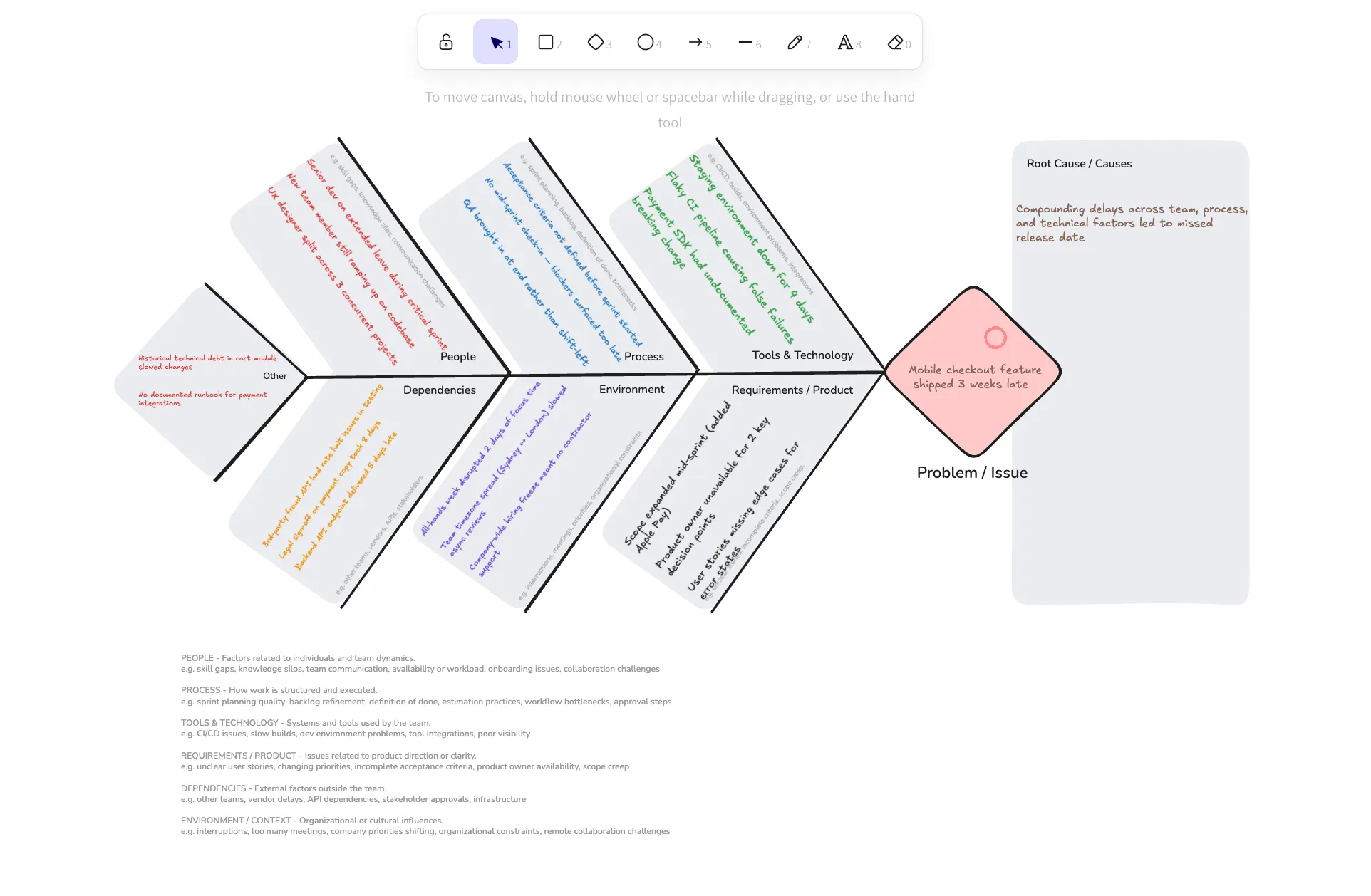
Here is what it looks like in practice. Say the team votes up “the mobile checkout shipped three weeks late.” The easy reaction is “estimate better next time.” Open a Fishbone against that idea instead, and the real picture appears: the staging environment was down for four days, scope expanded mid-sprint, and the product owner was unavailable for two key decisions. The fix that follows is specific, and the whole team can see the reasoning behind it, rather than one person’s hunch.
Whiteboards, built into the session
TeamRetro’s collaborative whiteboard is a shared visual canvas that lives inside the meeting. Everyone can sketch, map a framework, and draw together at the same time, with each person’s cursor visible live, and without leaving the retrospective to do it.
You can add a whiteboard wherever the discussion needs one:
- Against an idea, to dig into a specific item the team voted up (this is the root cause analysis step the facilitator above was missing).
- Against a comment, to expand on a single point.
- At the meeting level, as a standalone canvas the whole team can browse.
A few things make it work as a facilitation surface rather than a free-for-all. The facilitator or creator can lock a board so only they can edit while presenting or once it is finalized. Presenting broadcasts a board to every participant, so nobody is scrolling on their own. And every whiteboard can be exported as PNG or SVG, and is included in the session report, so the thinking is captured rather than lost when the call ends. It works the same way across retrospectives, health checks, estimations, and maturity assessments.
The templates, and when to reach for each
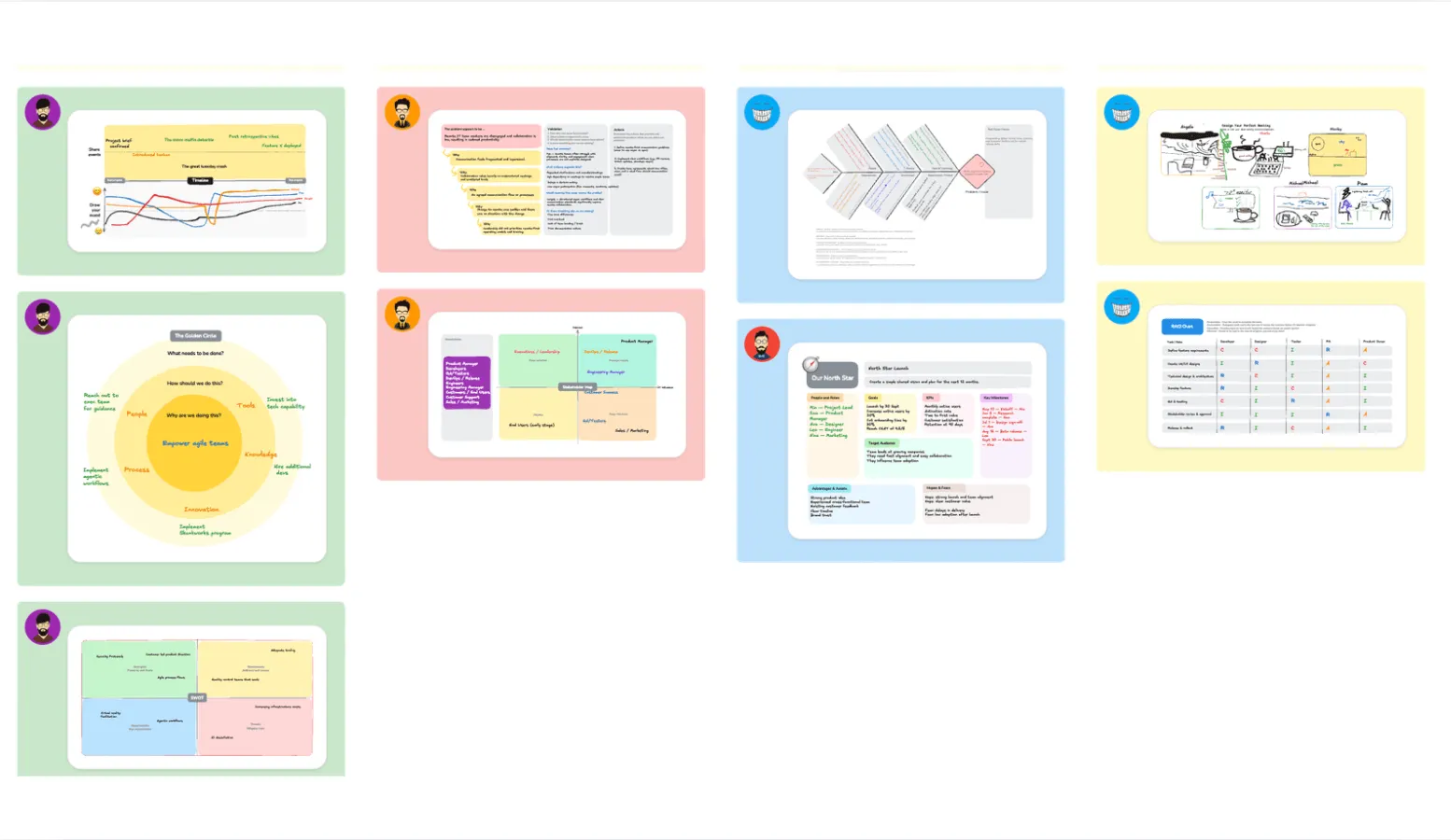
A blank canvas is still there when you want it. But most of the time you want a structure to work into, so the team spends its energy on the thinking rather than drawing boxes. TeamRetro ships nine templates, which fall into three jobs.
For getting to the root cause:
- 5 Whys. Ask “why” in sequence until you reach the underlying cause rather than the first visible symptom. Reach for it when a single problem keeps recurring and you suspect the team is fixing the wrong layer.
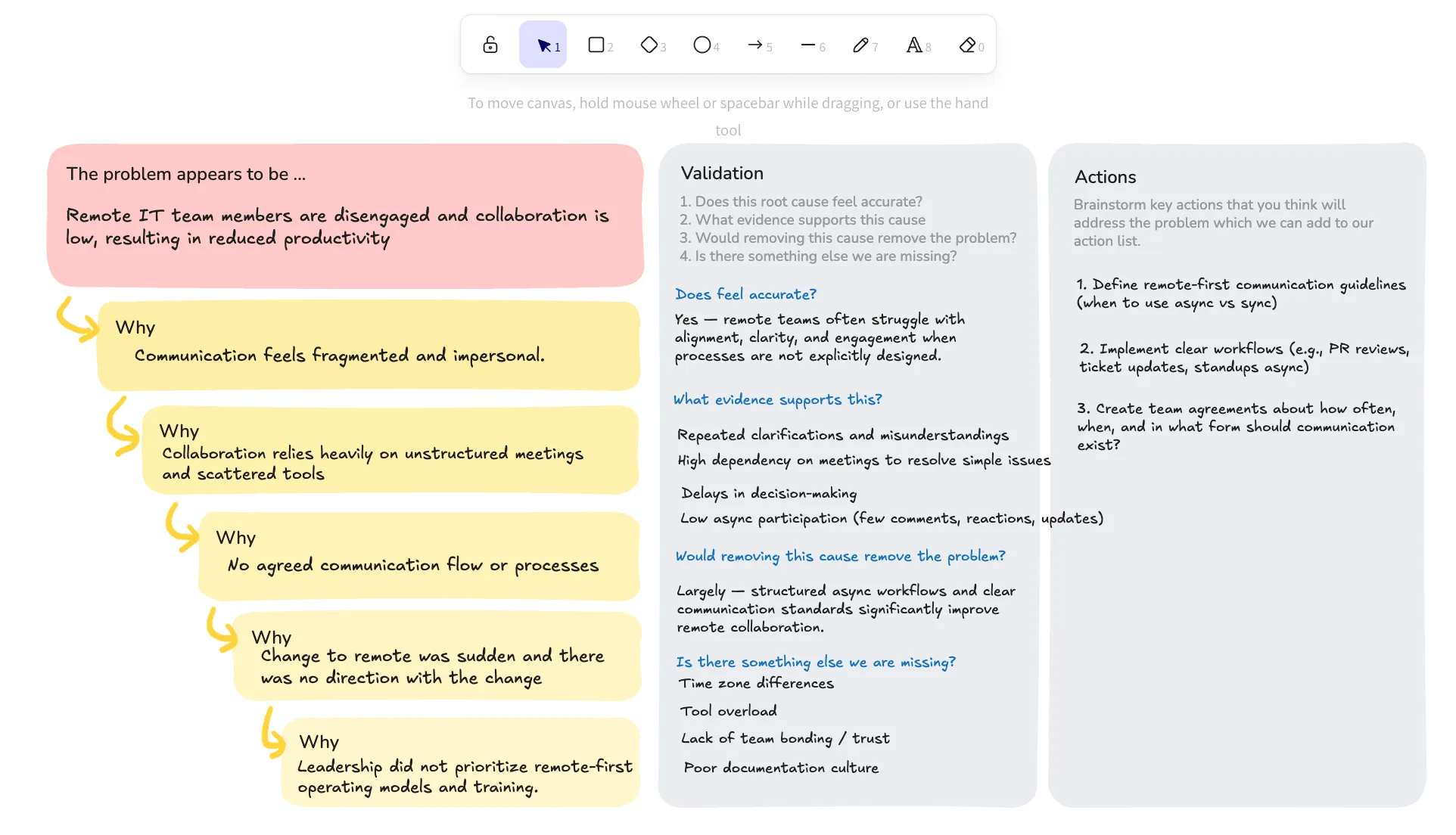
- Fishbone (Ishikawa) diagram. Map the possible causes of a problem into categories so the team can see cause and effect at a glance. Reach for it when an issue has several contributing factors and you want to sort them before discussing fixes. To build a whole session around this kind of root cause analysis, there is also a full Fishbone (Ishikawa) retrospective template.
For deciding and prioritizing:
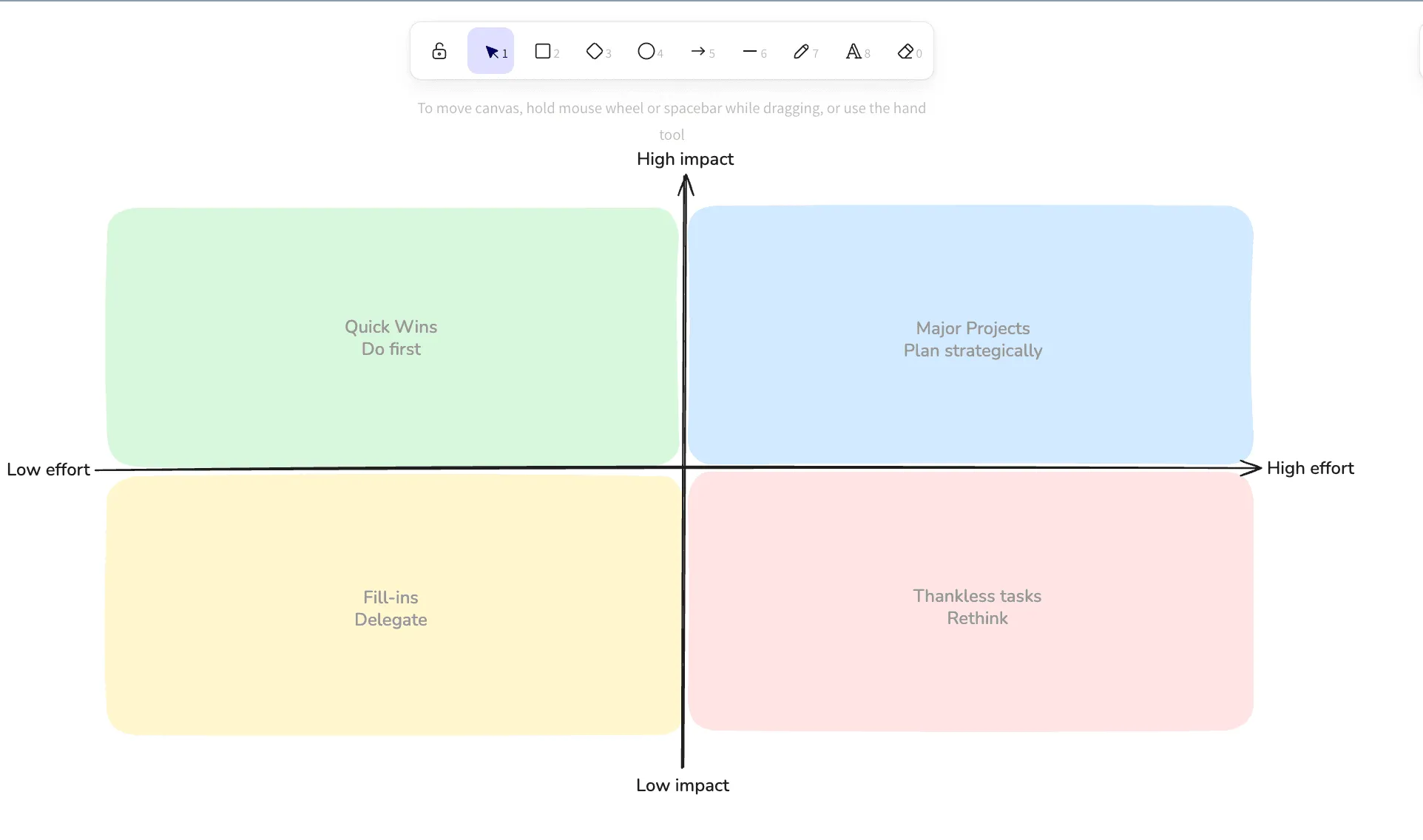
- Impact/Effort matrix. Plot options by the value they deliver against the work they take, so the quick wins and the time-sinks are obvious. Reach for it when the team has more ideas than capacity.
- SWOT. Lay out strengths, weaknesses, opportunities, and threats. Reach for it in a planning conversation or a quarterly review, or start from the ready-made SWOT analysis template.
- North Star. Align the team around the one guiding metric that matters. Reach for it when priorities are scattered.
- The Golden Circle. Work outward from why, to how, to what. Reach for it when the team needs to reconnect a piece of work to its purpose.
For mapping people and time:
- Stakeholder map. Place the people involved in a decision by influence and interest. Reach for it before a change that touches teams outside the room.
- RACI. Set out who is responsible, accountable, consulted, and informed. Reach for it when ownership of a follow-up action is unclear.
- Timeline. Lay events out in sequence. Reach for it when the team is reconstructing what happened over a sprint or an incident.
Using whiteboards in retrospectives
A TeamRetro retrospective runs in steps: everyone brainstorms privately, ideas are grouped, the team votes, and the top issues get discussed and turned into actions. The whiteboard slots in after voting and before actions, the moment the team has agreed on what matters and needs to understand it before fixing it. Open one against the top-voted idea, pick a template, and dig in together.
Reach for a whiteboard when:
- A problem keeps coming back. Run a 5 Whys or Fishbone on the top-voted issue to find the root cause, not the first fix that comes to mind.
- The sprint is a blur and people remember it differently. A Timeline rebuilds what actually happened, event by event, before the team draws conclusions.
- The discussion is going in circles. Sketching the process or the system on a shared canvas gives everyone the same thing to point at.
- An action needs a clear owner. A quick RACI settles who is responsible, accountable, consulted, and informed before the session closes.
Picture it. You are running the sprint retro. The team votes up “we keep missing the sprint goal,” and the room’s first instinct is “commit to less next time.” Instead of taking that at face value, you open a whiteboard on that idea and drop in the 5 Whys template. A few whys down, the real cause is not over-commitment at all: stories are being pulled in without clear acceptance criteria, so work bounces back late in the sprint. The action writes itself, and the whole team watched how you got there rather than taking your word for it.
Using whiteboards in health checks
A health check gives you the numbers; a whiteboard turns them into a conversation. People rate each team health check dimension privately, the results are revealed as a radar or bar chart, and then the real work starts, because a rating on its own does not explain itself.
Reach for a whiteboard when:
- A dimension scores low and the reasons are tangled. Map the causes on a Fishbone so the team debates the causes, not the number.
- Scores are split. When some people rate “communication” a 2 and others a 5, put the reasons side by side and find out why the same team sees it so differently.
- A theme runs across dimensions. Sketch how “delivery,” “process,” and “fun” feed into each other instead of treating each score in isolation.
Because health check data is tracked over time, whatever the team uncovers is there to revisit next session, so a dimension that is quietly sliding back is hard to miss.
Using whiteboards in estimations
When a team estimates together and the numbers come back far apart, that spread is information: someone is seeing complexity, a dependency, or an edge case the others are not. A whiteboard makes that hidden picture shared, so the re-estimate rests on the same understanding rather than on who argued hardest.
Reach for a whiteboard when:
- Estimates are far apart. Break the story into its parts on the canvas until the reason for the gap shows itself.
- The work depends on other teams or systems. Map the dependencies and unknowns before anyone commits to a number.
- Scope is fuzzy. Sketch the flow or the acceptance criteria so the team is sizing the same thing.
- There is more to do than capacity allows. An Impact/Effort matrix sorts what is worth doing against what it will cost.
Across all three ceremonies the move is the same: when the conversation gets stuck, a whiteboard turns it into a shared picture, and because it lives inside the session, whatever the team draws is captured in the report rather than lost on a separate canvas.
| Ceremony | Where a whiteboard helps | What the team leaves with |
|---|---|---|
| Retrospective | A deep dive on the top-voted issue, with a 5 Whys or Fishbone | The real cause named, not just the symptom, and owned actions |
| Health check | Unpacking a low or split rating into the reasons behind it | A shared understanding of why a dimension scored the way it did |
| Estimation | Breaking a story down when estimates come back far apart | A re-estimate grounded in the same picture of the work |
Why built-in beats a separate whiteboard tool
Plenty of teams stitch their session together across tools: a whiteboard for brainstorming, a separate retro board for voting, a Jira ticket or Slack message for actions. It is a common setup, and it is where follow-through quietly dies.
Every tool switch mid-session costs focus. People open the wrong link, lose the thread, or check out during the transition, and the facilitator spends energy on logistics instead of the conversation. Sticky notes on a general whiteboard do not become tracked actions on their own. Someone has to go back after the call, read the board, translate ideas into tasks, and assign them, and that step is where most retrospective actions are lost.
Building the whiteboard into the session removes the switch. The canvas, the voting, the root cause analysis, and the actions all live in one place, and the actions carry forward into the next session’s Open Actions step automatically. Health check ratings, retrospective themes, and follow-ups build up in the same place over time, so you can see how the team is actually developing, not just whether one meeting went well.
Try it in your next retrospective
The blank canvas was never the problem. The missing piece was a structure around it, and a place to dig into the real cause before the team commits to a fix. Run your next retrospective in TeamRetro, add a whiteboard where the discussion needs one, and see what surfaces.
Try TeamRetro free, no credit card required
Frequently asked questions
What is a collaborative whiteboard in TeamRetro?
A shared visual canvas inside the meeting. Several people can sketch, map a framework, and draw together in real time, with each person’s cursor visible, without leaving the session. It sits alongside private brainstorming, grouping, voting, and action tracking rather than being a separate tool.
Where can I use a whiteboard?
Across retrospectives, health checks, estimations, and maturity model meetings. You can open one against a specific idea, against a comment, in the chat, or as a standalone board at the meeting level.
Which templates does the whiteboard include?
Nine, plus a blank canvas: 5 Whys and Fishbone for root cause analysis; Impact/Effort matrix, SWOT, North Star, and the Golden Circle for deciding and prioritizing; and Stakeholder Map, RACI, and Timeline for mapping people and events.
Can I run root cause analysis like 5 Whys or Fishbone in a retrospective?
Yes. Once the team has voted on the issue that matters most, open a whiteboard against that idea, pick the 5 Whys or Fishbone template, and work through it together before moving into action planning.
Can I present, lock, and export a whiteboard?
Yes. A facilitator can present a board so everyone follows the same view, and lock it so only they can edit while presenting or once it is final. Boards export as PNG or SVG and are included in the session report, so the thinking is captured rather than lost.
Related posts
- September 23, 2026CLAUDE.md for teams: how we turned five people's AI memories into shared rules
- July 18, 2026The best team health check tools in 2026
- July 18, 2026Our AI teammates joined our retro
- July 16, 2026AI in Agile Project Management: What Teams Need to Know
- July 13, 2026Context engineering needs a feedback loop
- July 13, 2026How to gather feedback from your AI agents
- June 19, 2026The best collaboration tools for remote teams in 2026 (and the layer most stacks miss)
- June 18, 202612 new retrospective ideas to break the rinse and repeat cycle