Daily standups that bring the team together
Share progress, plans and blockers before you meet, so your time together goes on solving problems, celebrating wins and planning the day as one team.
Most teams run a standup. Far fewer get anything out of it.
The daily standup is meant to be a short sync, but too often it becomes a fixed time that suits nobody and a lap of the table, and by lunch the blocker someone mentioned is forgotten. TeamRetro is a daily standup tool built for distributed teams: everyone answers when their day starts, the updates sit in one feed next to your retrospectives and health checks, and a blocker becomes a tracked action with an owner. Read it async, or take it live when something needs talking through. The difference is facilitation, not format.
Save time, every day
Easy and quick updates with built-in actions and reminders.
Track progress against goals
Share sprint goals with the team, track progress and share wins.
Instant summaries
Get summaries by person, time, project, goals or outcome with trAI.
Flag and clear blockers fast
Spot blockers early and resolve them together.
A template for every kind of check-in
Start with a template or create your own unique set of questions and add your sprint goals. Tailor the format with fully customizable questions.
Daily Standup
Every weekday.
- What did you do yesterday?
- What will you do today?
- What is blocking you?
Async check-in
Written, on your own time.
- What did you get done since your last check-in?
- What’s your focus today?
- Anything blocking you?
Weekly sync
Once a week.
- What were your wins this week?
- What are your top priorities next week?
- Where do you need help or unblocking?
Daily Stand-down
At the end of the day.
- What did you finish today?
- What carries over to tomorrow?
- Any blockers for tomorrow?
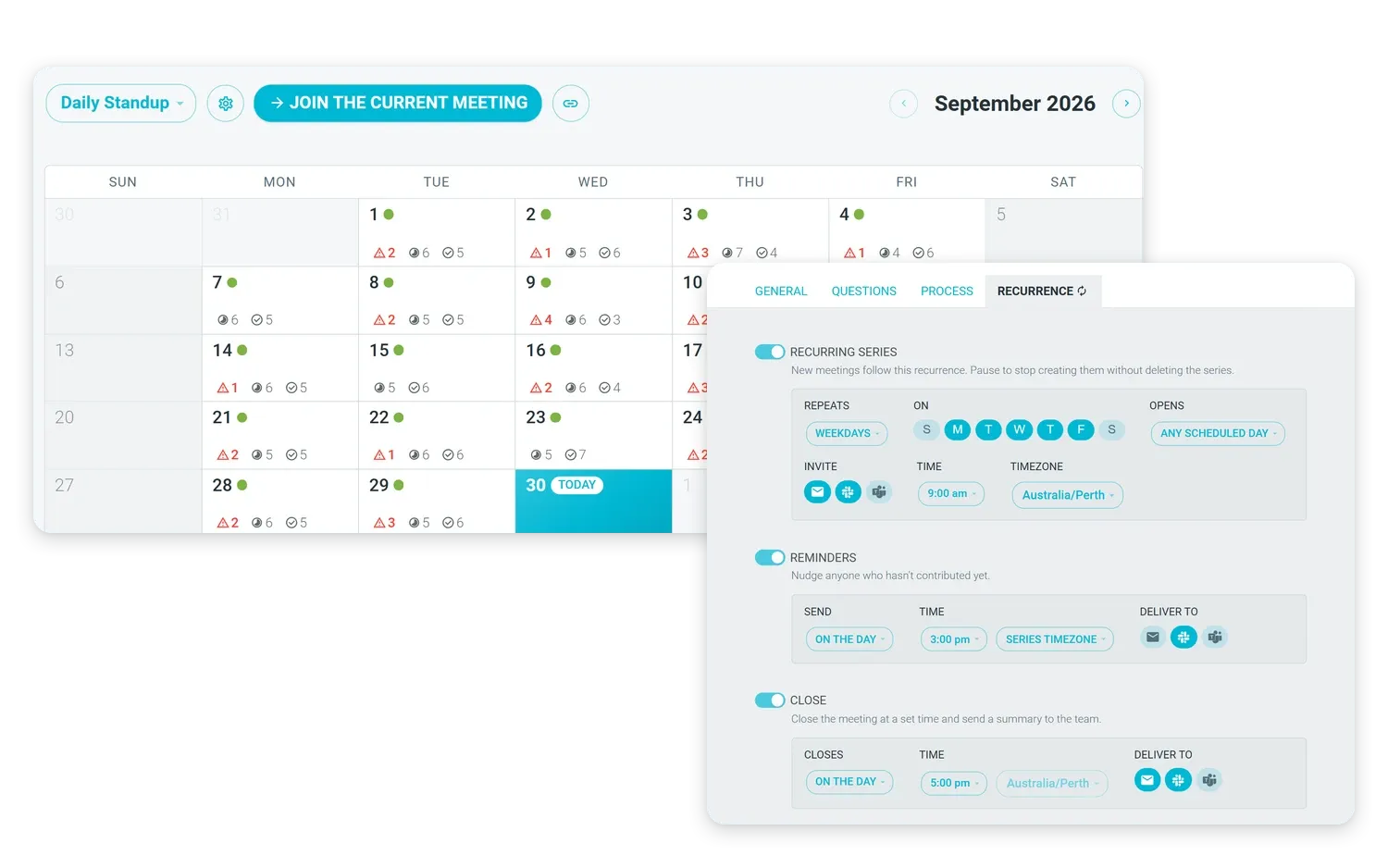
One setup, every standup covered
Each day gets its own persistent meeting room that the team can access at any time. No more scheduling friction. See the whole month at a glance.
Set the frequency and meeting cadence. TeamRetro takes care of the rest. The team gets gentle nudges and reminders by email, Slack or Microsoft Teams. Run it in real time or async.
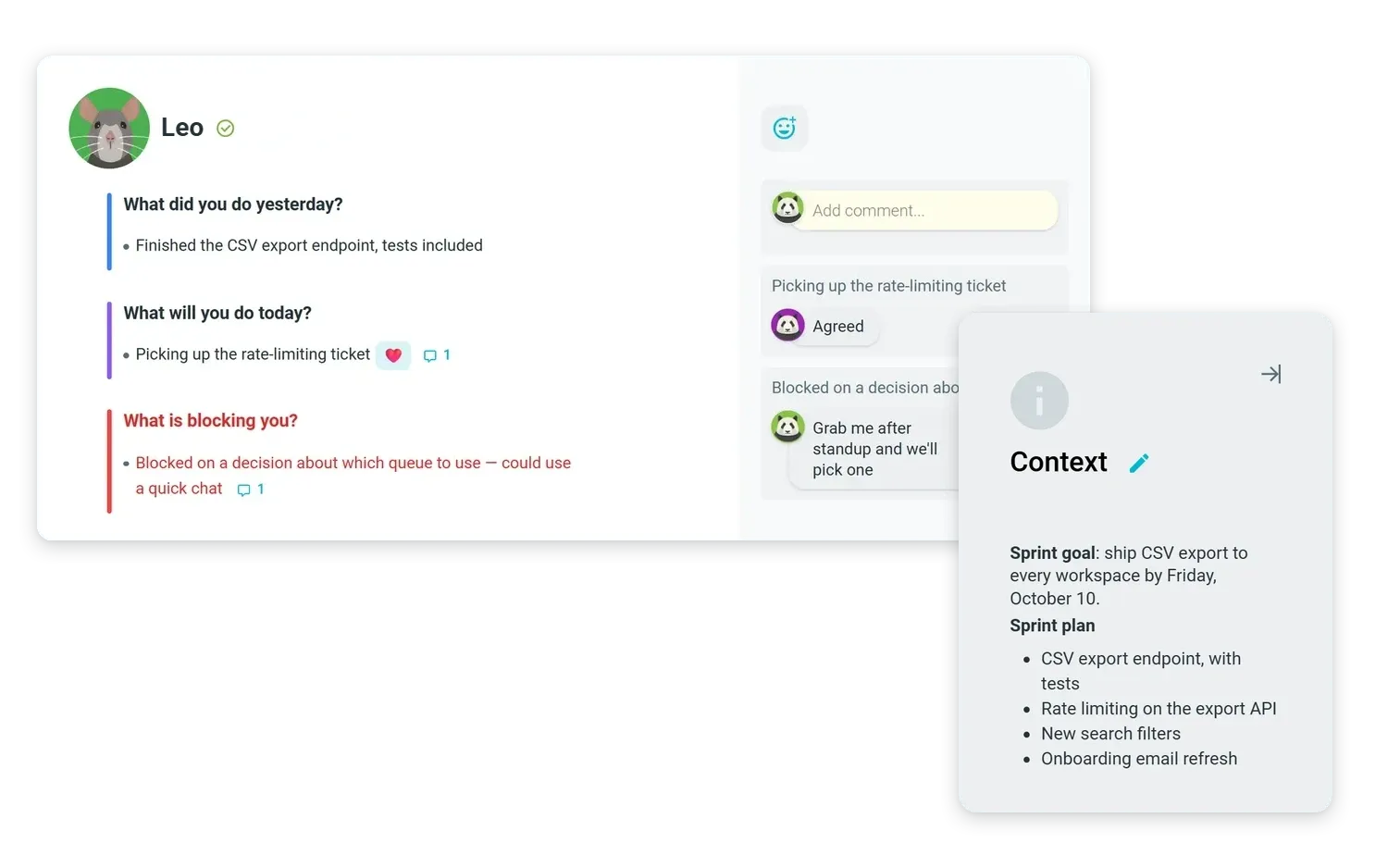
Keep everyone pointed at the sprint goal
Add the sprint goal or objectives so the team keeps vision on what is important.
See who needs to work together with pairing and handoff to keep things flowing smoothly. The one who is blocked and the one who can unblock them can fix it on the same day.

Updates just got simpler
No more schedule conflicts and time zone headaches. Everyone can submit updates in their own time while keeping everyone informed.
Your previous standup, blockers and action items are visible. Automate updates with MCP or with trAI.
Rich text format lets you add your own personality, links and team shout-outs. @mention team members to keep them in the loop.
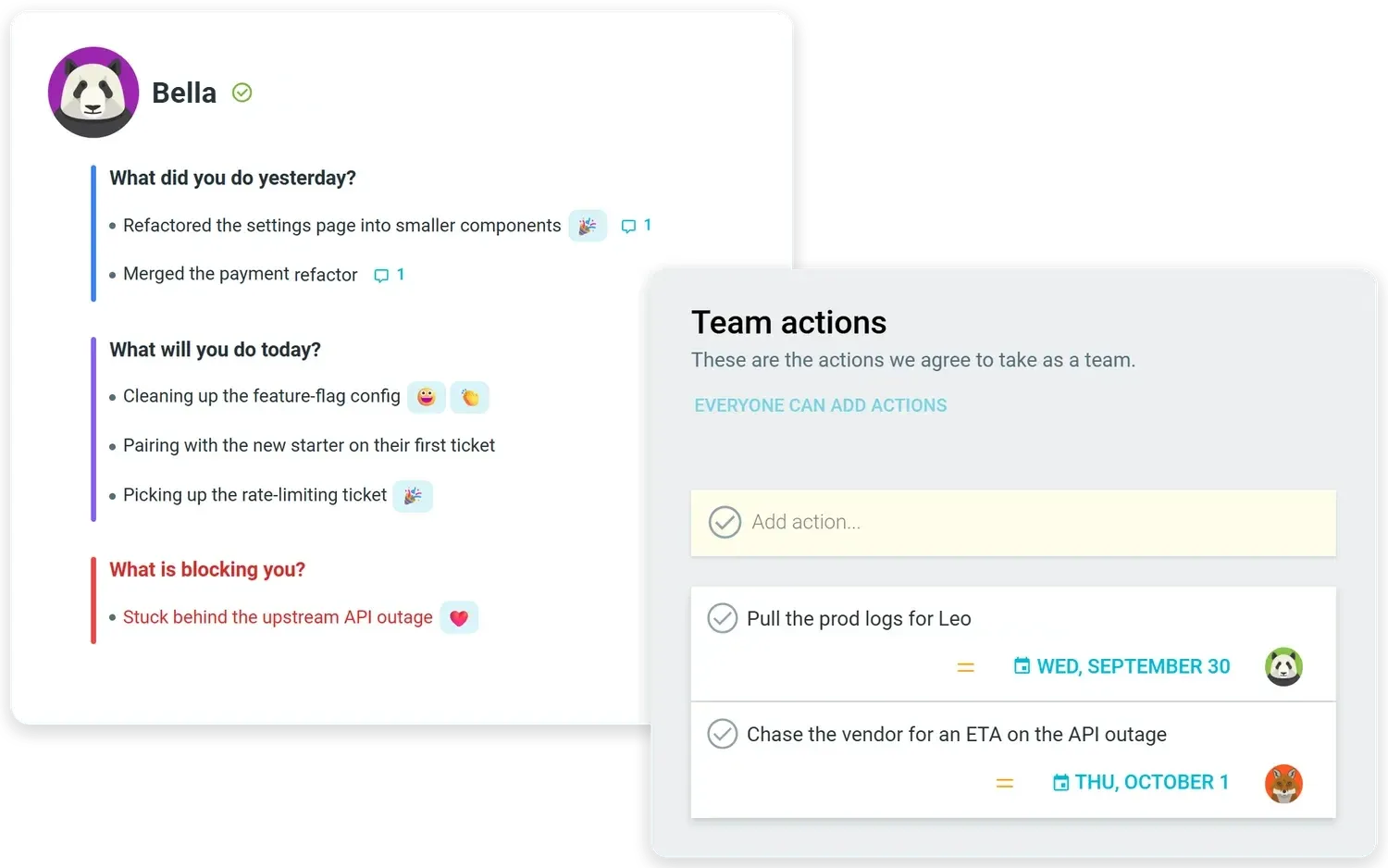
Blockers stay in sight until resolved
Blockers carry forward to your next standup, with a day count showing how long each one has been open.
Turn updates into actions with an owner and due date, so nothing slips through the cracks.
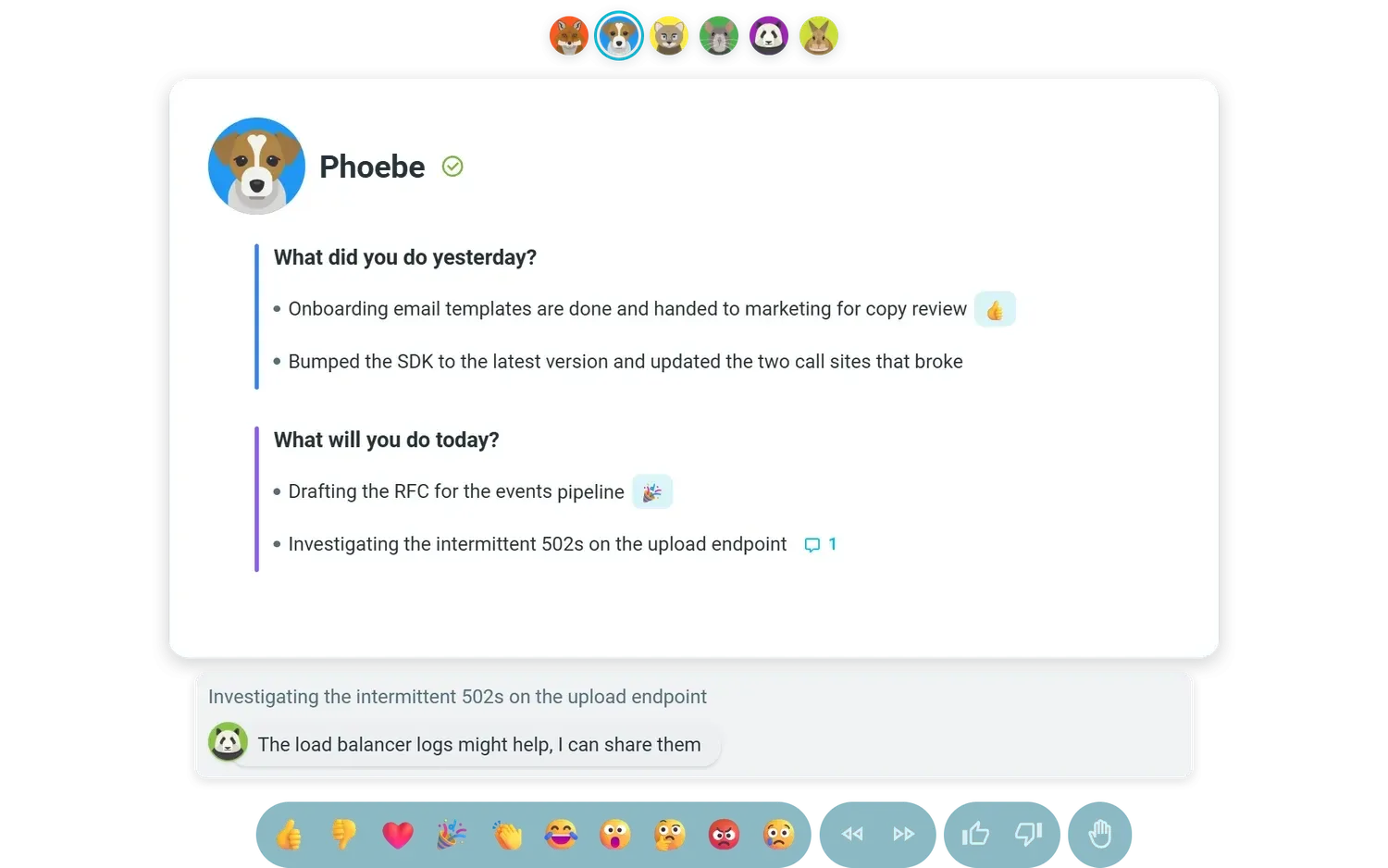
Facilitate standups that flow
When it’s time to meet, the chosen facilitator can run through the cards with ease, capture comments and live reactions as people share quick updates.
Want more? Add a timer or throw in a quick icebreaker to get the team talking.
Everyone leaves with a clear update, any follow-up items and a sense of what others in the team are working on. The facilitation moves that keep it tight.


Automated shareable summaries
Each standup gives you a list of blockers, tasks and participation rates as well as an AI summary you can refine and share.
Everyone gets an email update or a post in the Slack channel, or download and share with others outside the team.
Intelligent summaries the way you need them
Different people need a different cut of the same standup. Ask trAI, TeamRetro’s AI assistant, from inside the standup and it reads the day’s updates the way you ask, from three lines for your manager to a rundown by person. Like everywhere else in TeamRetro, it only sees what you can see.
By sprint goal
What moved the goal, what didn’t, and what’s in the way.
By person
A paragraph per teammate, ready for a one-to-one or a handover.
By project
Progress and blockers grouped by the work stream or project name.
By your priorities
Tell trAI what matters this week and it reads the updates against that.
By timeframe
Today’s updates so far, or a look back over last week or last month.
Integrates with your existing workflows
Push action items with owners and due dates, agreements, meeting summaries, and health-check results straight into the tools your team already runs on: task trackers, chat, docs, and exports. Connect over our API, webhooks, or MCP so AI agents can pick up where the meeting left off.



















Add comment...