
Online retrospective games vs formats: what actually works
When a retrospective game helps and when a plain format is better: an honest look at what changes team behavior, based on running thousands of retros.
A retrospective game isn’t there to be fun. It’s there to lower the guard that keeps remote teams polite, vague, and quiet, so you get the honest signal a retro depends on.
That’s why online retrospective games matter more than they look. On a video call, the usual cues that pull people into a conversation are gone. The confident talkers fill the silence and the quiet thinkers check out. A good game cuts through that, giving everyone the same low-pressure way in and surfacing the issues that would otherwise stay unsaid.
But there’s a catch: most of what gets called a “retrospective game” is really just a format with a nice picture on it. This guide draws a clear line between the two. On one side are the proven formats that structure most retros. On the other are the genuine games, the ones with an actual mechanic, that get a quiet team talking. We’ll cover both, when to reach for which, and where even a good game hits its limit.
Games vs. formats: why the difference matters
A quick word on labels first, since they get used loosely: retrospective games, formats, techniques, templates, often interchangeably. Here’s how this guide uses them: a format is the structure (the prompts people respond to), a template is that format pre-built and ready to run, and a game adds a mechanic, something like a surprise, a reveal, or a guess, that changes how people behave. So Sailboat is a format and a template, but calling it a game is generous: you’re still filling in columns. Don’t confuse any of this with agile games either. That’s a broader category of activities spanning the whole delivery process, and its own topic. Nor with team building games for work, which are about bonding and trust rather than reflecting on a sprint.
Why does it matter? Left to their own devices, most retros default to open discussion. Someone asks “So, how did the sprint go?” and waits. A long pause, then the same two people talk while everyone else stares at their thumbnail. The full reference list lives in our guide to retrospective games, grouped by the problem each one fixes. This post is about which of them earn the name.
A format replaces that blank prompt with structure. A game goes further: it gives people something to react to before they’ve had time to self-edit. Both have their place, and the payoff is the same: better data. Retros only work if people tell the truth about what’s slowing them down, and online that rarely happens by accident. The rest of this guide is about making that happen on purpose.
Start with a solid retrospective format
Most online retrospectives should still start from a proven format, the reliable structures your team already recognizes. For a routine sprint they’re all you need to get a useful conversation going, and the choice matters less than people think: Mad, Sad, Glad when the sprint was rough, Start, Stop, Continue when you want action items by the end of the hour.
We keep the full list, grouped by the problem each format fixes, in the retrospective games guide: 20 formats with when to reach for each, how long it runs, and how to run it remotely. Rather than repeat it here, this post takes the argument the list cannot: a format only structures the conversation. It doesn’t guarantee anyone opens up. New to facilitating? Our guide on how to run a retrospective walks through the five phases and a ready-made agenda. When your team is quiet, tired, or going through the motions, that’s when you reach for an actual game.
The retro games we played
There’s real evidence behind this, not just facilitator folklore. A study in Empirical Software Engineering tracked six Scrum teams running game-based retrospectives and found the games directly countered the problems that make retros worth skipping in the first place: lack of structure, dull repetition, and a handful of people carrying the whole conversation. Worth remembering next time a busy sprint makes the retro feel optional. Those are usually the sprints that need one most.
So we put it to the test. Over the last couple of months we ran a game in every one of our own team’s retros. The honest reason was that attendance had gone quiet, and we wanted to see if a game would pull people back in. Here’s what we played, with the real screenshots from each session:
- Your sprint in three emojis: three emojis each, then everyone unpacks their own.
- Describe your sprint, and let AI draw it: everyone uses TeamRetro’s built-in image generator to turn the last few weeks into a picture.
- Guess who wrote which card: the same idea, kept anonymous, then guess who made each one.
- Team Spectrum: place yourselves on a spectrum, then guess where your teammates landed, with scores.
- The AI-generated sprint artifact: feed the finished retro’s summary into an AI image generator for a newspaper, poster, or Sprint Wrapped card.
1. Your sprint in three emojis
Before any discussion, everyone drops three emojis to sum up the sprint, then explains them. The shorthand is faster and more disarming than prose. Someone will admit in a skull, a fire, and a sob emoji what they’d carefully hedge in a full sentence.
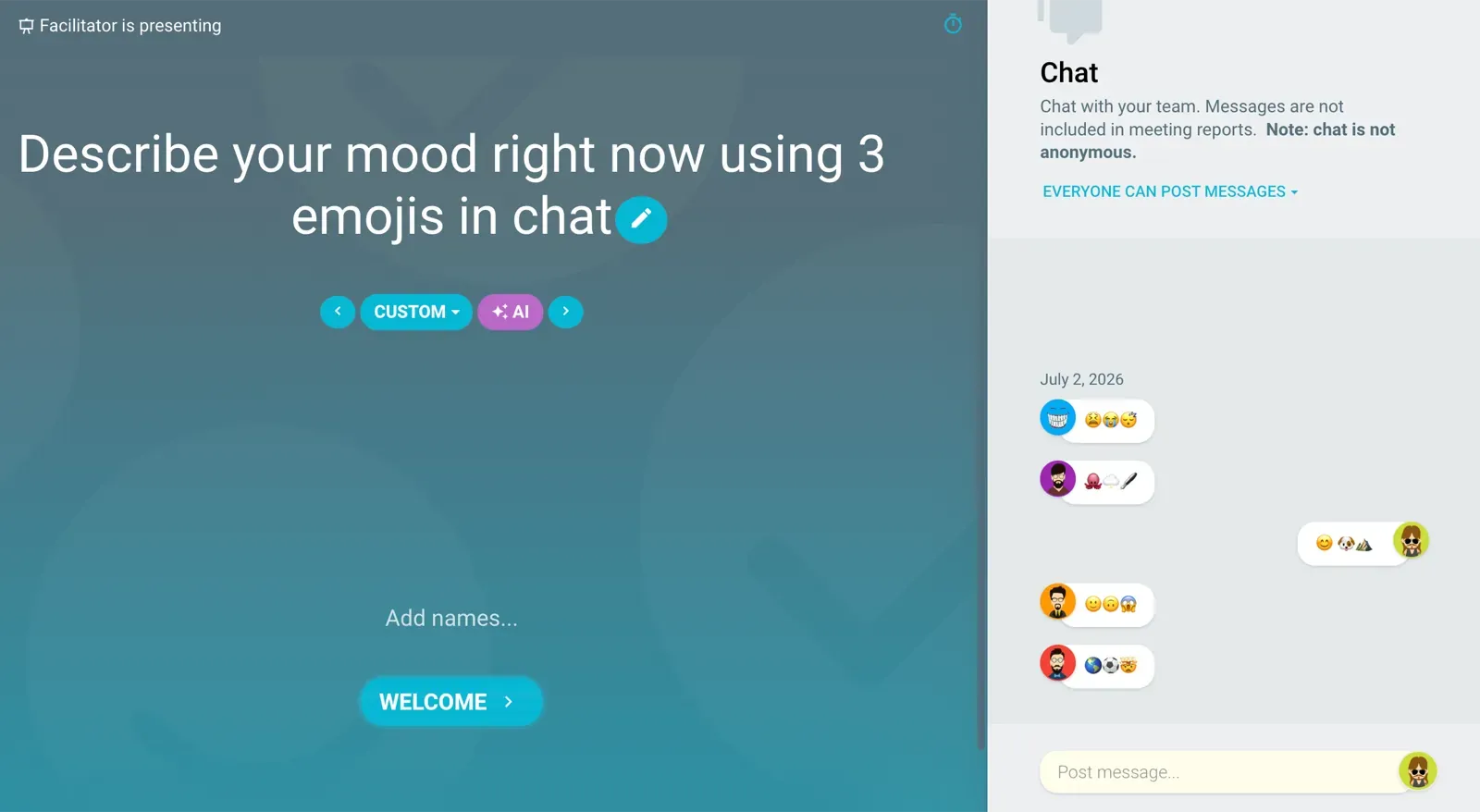 We ran ours as a quick mood check straight in the chat. Three emojis, then everyone unpacks their own.
Prefer a GIF? That works just as well as an alternative format: a single well-chosen GIF (a burning building, say) often says more than a paragraph. Either way it’s a quick, low-effort opener, especially when time is tight.
2. Describe your sprint, and let AI draw it
Ask everyone to describe their sprint experience over the last few weeks, then let TeamRetro’s built-in image generator turn that into a picture. Each person shares what came back and talks through why. Reacting to your own weird little image is far easier than answering “so, how did the sprint go?”, and the picture usually says the quiet part out loud.
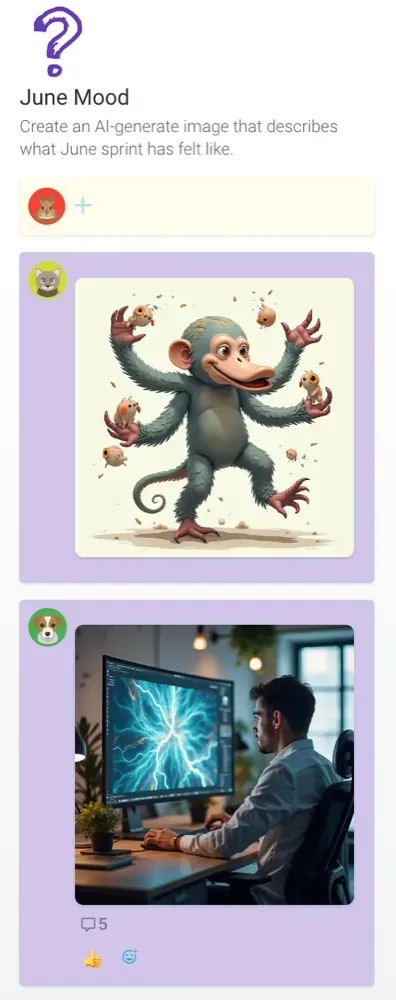 Our “June Mood” board. The prompt was simply: create an image that describes what the sprint felt like.
The board filled up fast: a wide-eyed monkey losing its grip on a fistful of flying tasks, someone at their desk staring into a screen full of lightning. Every image became a way into a conversation we would otherwise have had to drag out of people.
3. Guess who wrote which card
Run the same board, but keep every submission anonymous, then have the team guess who made each card. It turns a passive review into a game and surfaces assumptions along the way: “I was sure that was you” says as much as the image itself.
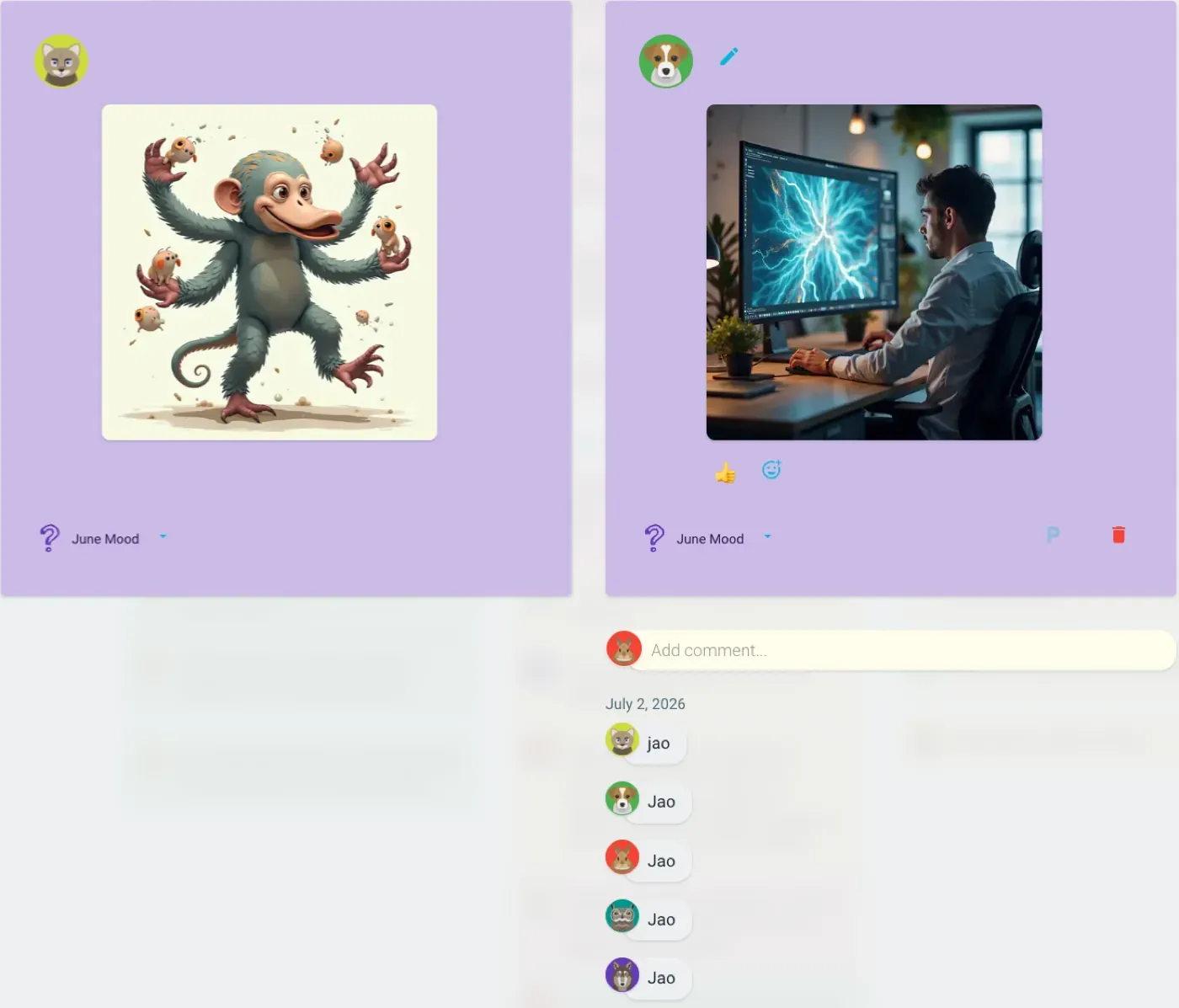 The guessing in action: teammates dropping their guesses in the comments under each anonymous image.
One honest warning: this only works if your team already has high trust and good camaraderie. Guessing “who’s the burnt-out one” is fun when people feel safe and pointed when they don’t. If you’re not sure where your team sits, save this one and start with something lower-stakes.
4. Team Spectrum
This is the one that got the most buy-in of the lot, and it’s a proper game with scores. Team Spectrum (one of our free Icebreaker Games) puts a reflection prompt on a spectrum, then makes everyone guess where their teammates landed. We used it for the sprint itself. The prompt was “how well did the sprint stories align with the bigger picture?”, running from “everything fit” on one end to “felt disconnected” on the other. Everyone privately placed themselves, then the team guessed each other’s positions, scoring points for getting it right.
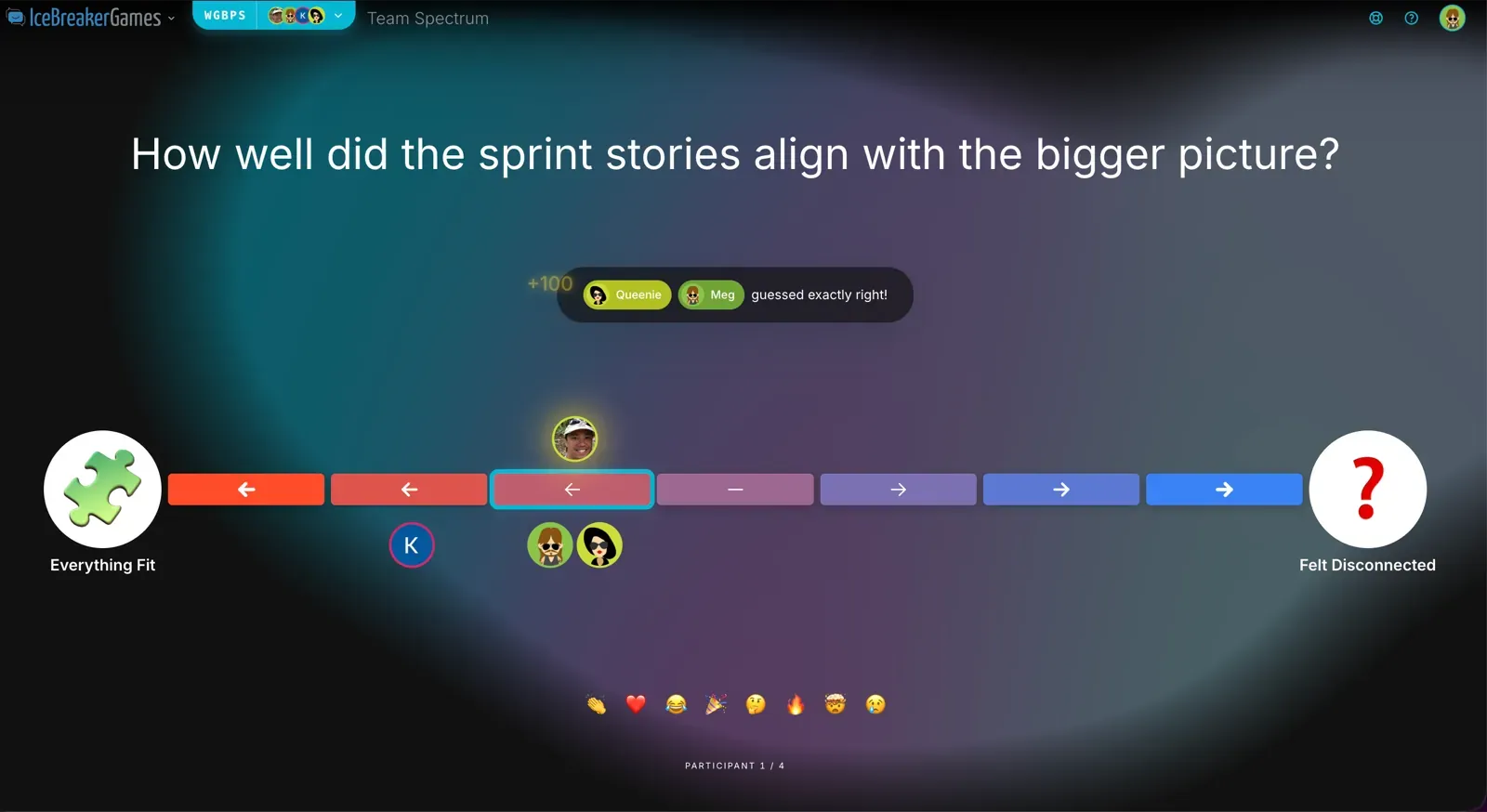 A real reflection prompt, played as a spectrum. You score by guessing where teammates put themselves.
The guessing is what makes it work. Predicting where someone landed forces you to actually consider their sprint, not just your own, and every wrong guess is a small, safe surprise that gets people talking. The leaderboard turns a reflection nobody was excited about into something they wanted to win.
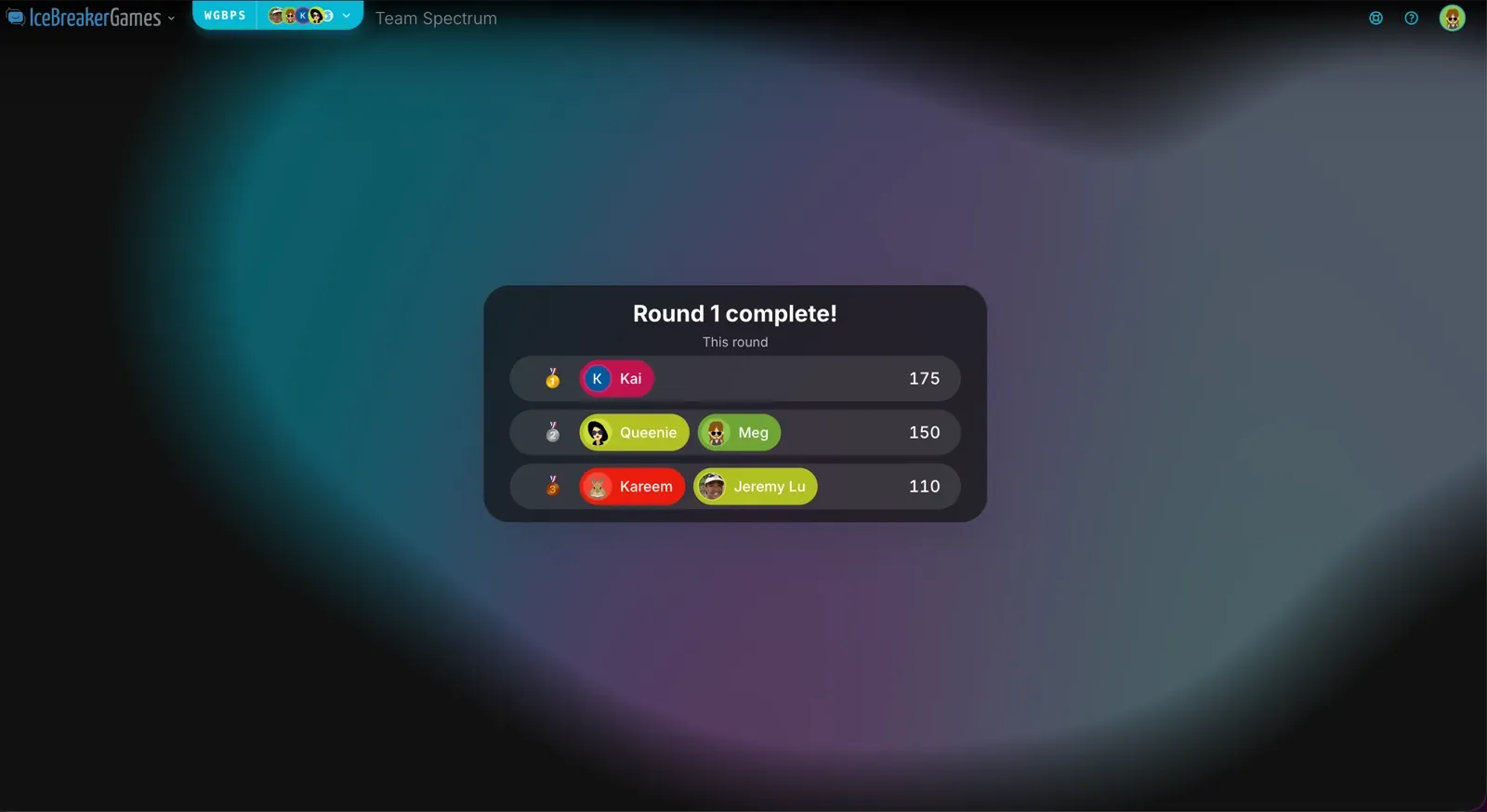 Round one done. The scoreboard did more for attendance than any calendar reminder.
Use it when you want a genuine reflection but the team keeps treating retros as a chore. The scoring is the hook; the alignment conversation is what you actually walk away with.
5. The AI-generated sprint artifact
This one isn’t an opener. It’s what we did with the retro once it was over. We took the output, TeamRetro’s AI Meeting Summary, which already pulls the key themes, sentiment, and outcomes, and fed it into an AI image generator with a strong style prompt: a 1960s newspaper front page, a wartime propaganda poster, an 80s movie one-sheet, a Spotify Wrapped-style recap card. Then we shared the results back with the team.
We ran a few prompts on one month’s summary. Here’s what came back, no cleanup and no cherry-picking. Click through the deck:
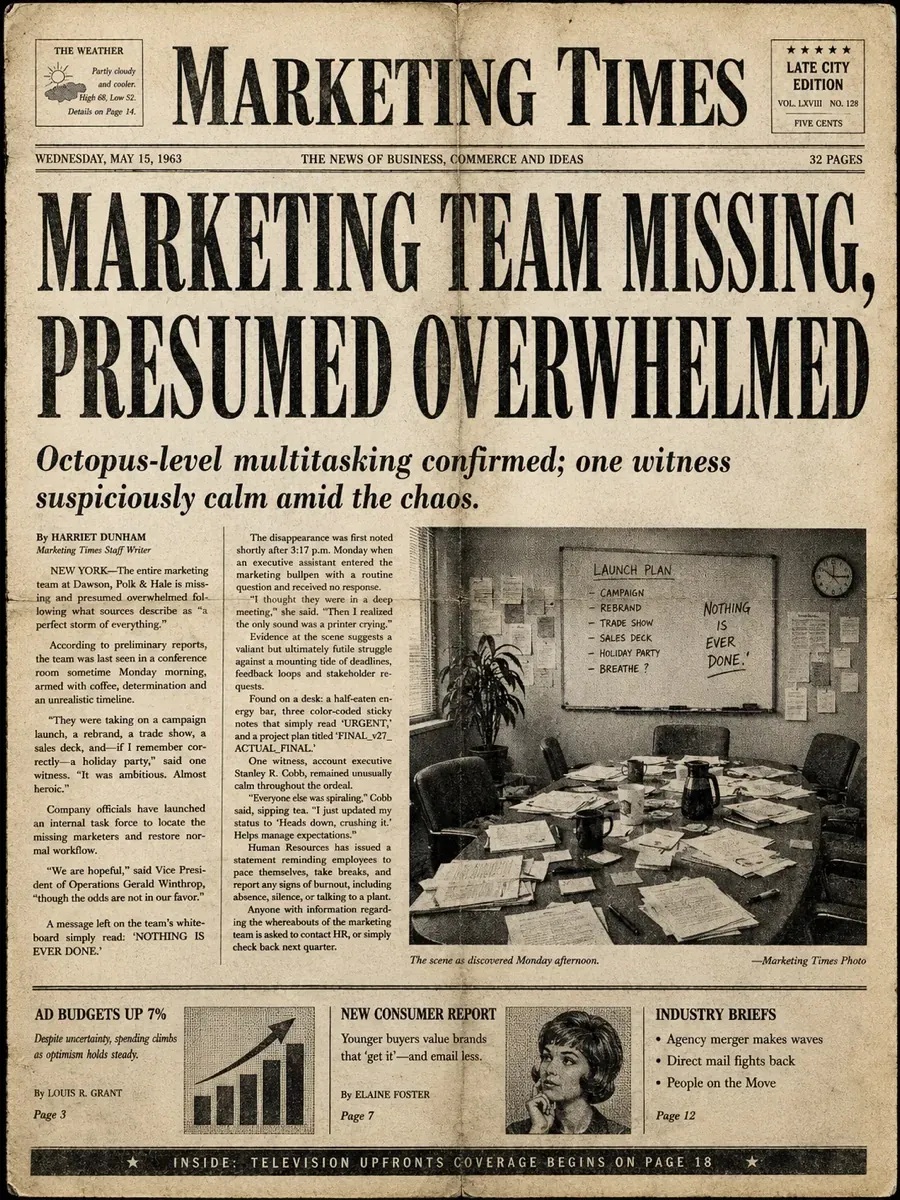
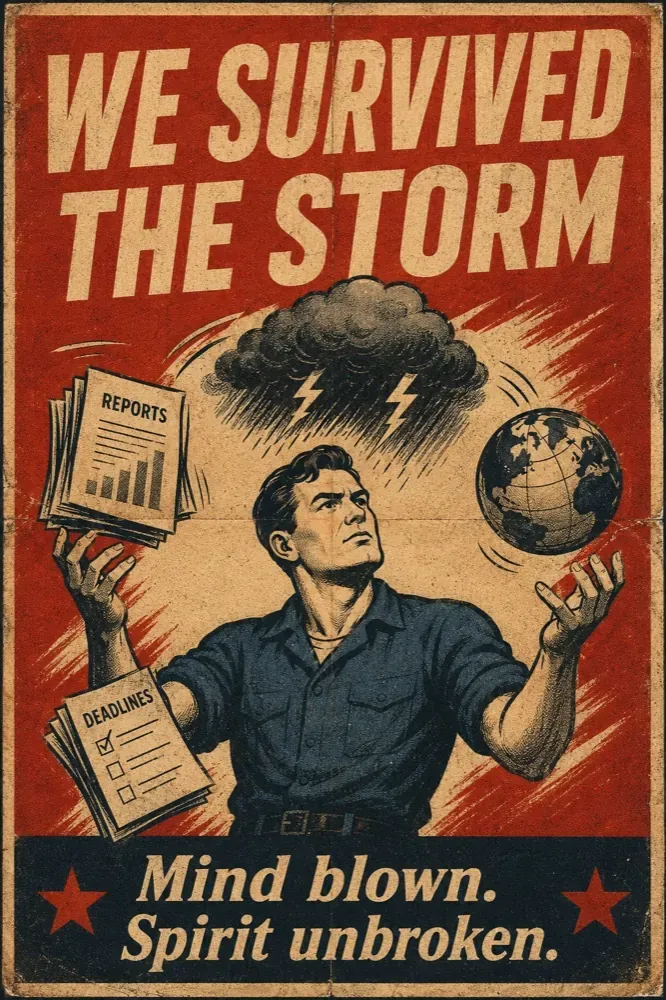
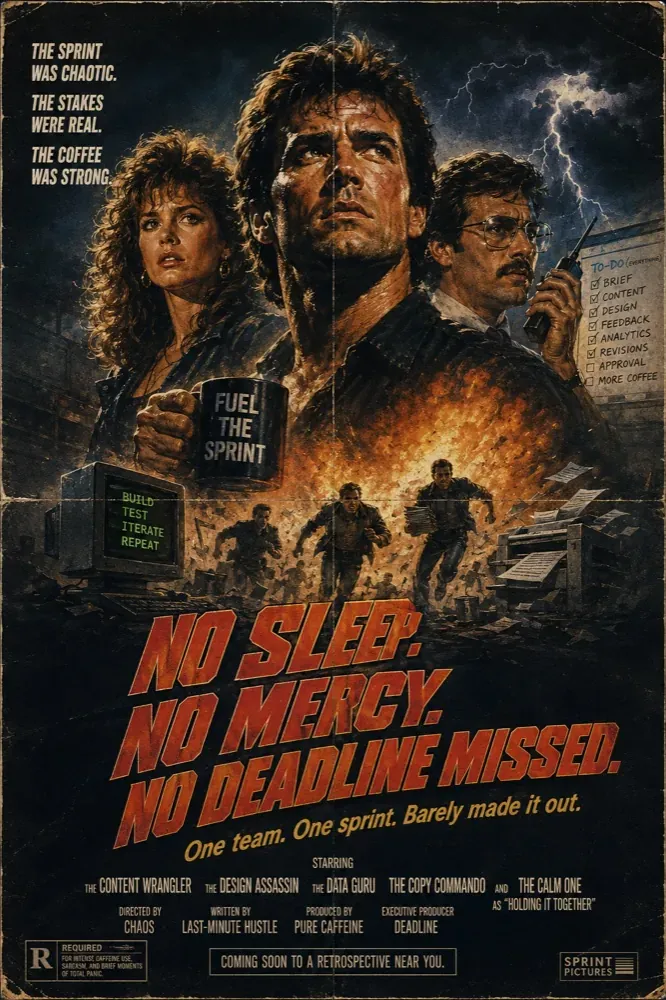

Every one of those came from the same meeting summary. Seeing the sprint retold in a new form makes it stick, and the gap between the artifact and reality (the “that’s not how it actually felt” moment) often surfaces a point the retro glossed over. The “octopus-level multitasking” headline did more to open up a workload conversation than any check-in question we’ve tried. Use it to close out a milestone or end-of-quarter session you want people to remember.
Want to try these without the setup? Every game here runs on a free template in TeamRetro, and the AI Meeting Summary that powers the sprint artifact is built in, so you can run the retro and generate the artifact in the same place.
Facilitating retro games remotely
The activity gets you started. Remote facilitation is what decides whether online retrospective games actually work, and it’s where most online retros quietly fail. Three things make the biggest difference.
Timebox tightly. Online attention is short and silences feel longer. Put a visible timer on each phase: a window to add input, another to group and vote, a hard stop for discussion. Tight boxes create urgency and stop one topic eating the whole hour.
Make input anonymous. Hierarchy travels down a video call fast. When people contribute anonymously, the junior engineer raises the concern the tech lead was tiptoeing around. It’s also what makes a game like Guess Who work at all. Anonymous entry defangs rank and gets you the real feedback, not the safe version.
Let people pre-enter async. Don’t make everyone think on the spot with their camera on. Open the board beforehand so people can add thoughts in their own time. The quiet, deliberate thinkers contribute properly instead of being steamrolled by the fast talkers, and you start the live session with raw material already there.
Get these three right and almost any activity above lands. Get them wrong and even the cleverest game turns back into an open discussion with a scoreboard on top.
When a game won’t fix the problem
One honest caveat: a game won’t fix an unsafe team.
If people don’t trust each other, no clever format will pull out the real issues. Neither will an AI-generated newspaper. They’ll fill in the safe cards, laugh at the artifact, and save the real conversation for the DM afterwards. Anonymity and playfulness help at the margins, but they’re a patch, not a cure. When the same problem resurfaces sprint after sprint with no one willing to own it, that’s a signal a template can’t answer.
If you’re not sure which one you’re dealing with, don’t guess from tone on a video call. A quick health check before the retro tells you in minutes whether you’re looking at a flat team or an unsafe one. It’s a numeric read on trust, safety, and morale. If the numbers are low, that’s the actual agenda item. No game fixes that. Only the follow-through does.
That work sits underneath all of this. It’s facilitation and leadership: following through on action items so people see that speaking up changes something, modeling that it’s safe to disagree, and dealing with the behavior that makes people go quiet. Online retrospective games are a powerful tool for a team that trusts each other enough to be honest. They’re not a substitute for building that trust.
Match the game to the sprint
The best online retrospective game is the one that matches what your team needs this sprint: a solid format when the conversation needs structure, a genuine game when it needs unsticking. Match it to the job, run it with tight timeboxes and anonymous input, and watch whether the honesty is real or performed.
Every format here is a free template in TeamRetro. Anonymous input, async pre-entry, timeboxing, and the AI summaries that power the remix game are all built in, so you focus on the conversation, not the setup.
Browse the retrospective template library, pick a format from the retrospective games guide, warm up with Icebreaker Games, or pull fresh prompts from RetroIdeas when a format feels stale.
For more on keeping retros engaging, see 3 nifty ways to keep your retros fun and exciting and how to run an icebreaker.
Related posts
- June 18, 202612 new retrospective ideas to break the rinse and repeat cycle
- June 16, 2026100 retrospective questions that actually improve your team (2026)
- December 31, 2025Fun retrospective ideas and games to keep retros fresh

- July 14, 2025What makes the best icebreakers for teams?

- January 2, 2025How to tell if your team feels psychologically safe

- December 6, 2024Top 7 habits of highly successful Scrum Masters and agile teams
- March 6, 2023Nine top agile retrospective ideas and games to keep your team engaged
- February 9, 2023How online retrospective and health check build psychological safety