How to gather feedback from your AI agents
Your AI agents do real work and hit real friction. Here's how to run a one-minute session retro so their experience feeds your team retrospective, alongside your people.
An AI agent shipped code for you this week. It read your brief, dug through the codebase, hit a wall where the documentation was wrong, guessed its way past it, and moved on. Then the session ended, and everything it learned about where your project fights back went with it. Nobody asked the one participant who just spent an hour inside your repo what slowed it down.
Retrospectives exist to close exactly that gap for people: the team meets, names what helped and what got in the way, and turns it into change. AI agents are now doing real work on your team, and they hit the same friction your people do, sometimes more of it. So the question is simple. If an agent does the team’s work, why isn’t it in the retro?
This guide is about adding that voice. Not a new retrospective format, not automating your people’s input: a new participant. The AI contributes feedback; your team still decides what it means. Here’s how to gather it, and how to bring it into the retrospective you already run.
This post is the quick start. The practice now has a complete guide, AI agent retrospectives, covering the full loop from capture to the team ceremony; start here, go there for the full picture.
Why your AI agent’s experience is worth capturing
The case for a human retro is that memory fades and lessons go unshared. With an AI agent the problem is sharper: its working memory doesn’t fade, it evaporates. The moment a session closes, the context is gone. None of it carries to the next session unless something writes it down: the missing README it wished existed, the environment variable that wasn’t documented, the brief that could have been read three ways.
And agents accumulate a specific, useful kind of signal. Over an hour of work an agent notices things a person skims past because a person already carries the context in their head:
- The onboarding doc that describes a build step that no longer exists.
- The function that three call sites use differently, so “follow the pattern” points at three patterns.
- The brief that said “clean up the config” without saying which config, or how clean.
- The test suite that needs a service running that nothing tells you to start.
A human developer hits these too, shrugs, works around them, and rarely files anything, because the friction is beneath the threshold of “worth raising in the meeting”. An agent, asked the right way, will report every one, with the evidence attached. That is the value: not that the AI is smarter about your process, but that it is a fresh pair of eyes with no ego and no accumulated tolerance for the papercuts. Human-AI collaboration works best when both sides can say what slowed them down.
One guardrail before we go further, because it shapes everything below. The AI is a participant, never a facilitator or a judge. It contributes items to the retrospective the way any participant does. It does not run the meeting, score your team, or decide what to fix. Humans read its feedback, sanity-check it, and choose what matters. Keep that line and the practice stays healthy; blur it and you’ve handed your improvement process to a tool that can’t be accountable for the outcome.
The practice: an end-of-session retro
The mechanism is small on purpose. At the end of a working session (a coding task, a research job, a refactor) the agent writes one honest retro entry to a file in the repo it was working in. It takes the agent under a minute. A human spends about the same again sanity-checking it. That’s the whole loop.
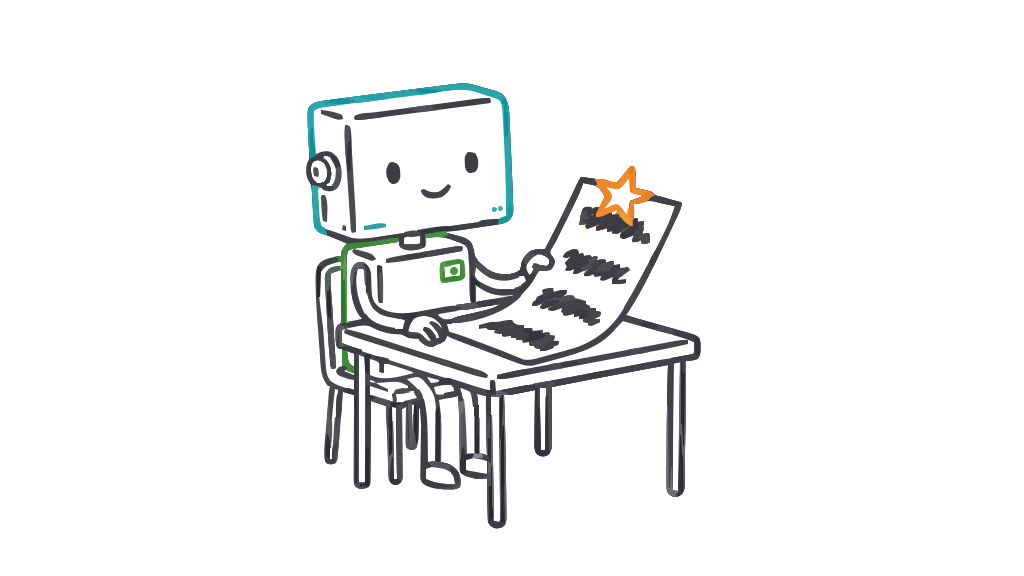
A good entry has four parts:
- What went well: the moments worth keeping, cited to something concrete that happened in the session. Not praise, not filler. If it can’t point to a specific moment, it doesn’t go in.
- Friction: where the work got harder than it needed to. Each friction item is tagged with one of ten fixed root-cause labels (below) and ends with a ticket-sized ”→ Fix:”, the rule that makes it useful. No finding without a fix.
- A “Do this first” top fix: the single change that would have helped most. One item, surfaced to the top, so a busy reader who reads nothing else reads the thing that matters.
- Guesses made: every point where the agent filled a gap with an assumption. These are gold. A guess is a place your context was ambiguous or missing; the agent is showing you exactly where it had to invent an answer.
Two principles keep the entries trustworthy. Evidence-cited moments only: every point references something that actually happened, so nobody’s reading generic advice. And the honesty runs both ways: the agent critiques the material it was handed and its own mistakes. An entry that only blames the codebase and never says “I misread this and wasted twenty minutes” isn’t being honest; the practice asks for both.
The ten root-cause labels
Every friction item gets exactly one label. A fixed, small vocabulary is what turns a pile of individual gripes into a pattern you can act on: when the same label shows up across ten sessions, you know where to spend your next hour. The ten cover the ways real work gets blocked.
| Label | What it means | Where the fix usually lands |
|---|---|---|
ambiguous-instruction | The brief could be read more than one way. | The person writing the task |
missing-context | Information the agent needed wasn’t provided. | The brief, or the shared context |
incorrect-context | Information it was given was wrong or stale. | The brief, or the shared context |
missing-documentation | The repo doesn’t document something it should. | The docs / CLAUDE.md / AGENTS.md |
incorrect-documentation | The docs exist but are wrong or out of date. | The docs / CLAUDE.md / AGENTS.md |
work-material-friction | The material being worked on made the change hard (tangled code, account, or template). | The work material / tech debt backlog |
missing-access-or-tool | A credential, permission, or tool wasn’t available. | Ops / platform / access control |
agent-error | The agent got it wrong: misread, wrong turn, wasted effort. | The agent’s own account, honestly |
changed-requirements | The goal moved partway through the session. | Planning / scope management |
environment-friction | The dev environment fought back: flaky build, slow setup, broken tooling. | Developer experience |
(v2 of the skills renamed codebase-friction to work-material-friction; older entries carrying the old label still count as the same cause.)
Notice how the labels split responsibility cleanly. Some point back at you: ambiguous-instruction, missing-context. Some point at the project: missing-documentation, work-material-friction, environment-friction. And agent-error points at the agent. That spread is the point: it stops the log becoming a list of complaints and makes it a map of where improvement is owed, on every side.
The log: plain markdown, in your repo
There is no product to install for the capture step. The agent writes to docs/ai-retros/entries/ as plain markdown, committed alongside the code. That’s a deliberate choice:
- It lives where the work happened. The friction was in this repo; so is the record of it. Anyone reading the git history sees the feedback next to the change that prompted it.
- It’s diffable and greppable. Want every
missing-documentationitem from the last month? That’s agrep. Want to see friction trend down after you fix the build? It’s in version control. - It’s tool-agnostic. Markdown in a folder works with any agent, any editor, any process. Nothing proprietary, nothing to migrate later.
Here’s an illustrative example entry. This is a made-up session to show the shape, not real pilot data:
# Session retro — add rate limiting to the public API
Agent: Claude Code · 2026-07-13 · ~50 min

## Do this first
→ Fix: Document the Redis connection setup in CLAUDE.md — three of us
  will hit this same wall. (missing-documentation)

## What went well
- The `middleware/` folder has a clear pattern; the existing auth
  middleware was a clean model to copy for the rate limiter.
- Tests ran fast once the service was up.

## Friction
- Nothing documented that the test suite needs Redis running locally.
  Spent ~15 min chasing a connection error before finding it by reading
  docker-compose.yml. (missing-documentation)
  → Fix: Add a "Running tests locally" section to CLAUDE.md naming the
    Redis dependency and the `docker compose up redis` command.
- The brief said "add sensible rate limits" without numbers. I chose
  100 req/min per key. (ambiguous-instruction)
  → Fix: Decide the real limits with the team and put them in the ticket.
- `config/limits.ts` and `config/throttle.ts` both looked like the right
  home for the setting; I couldn't tell which was canonical. (work-material-friction)
  → Fix: Merge or clearly comment which config owns rate limiting.

## Guesses I made
- Assumed 100 req/min because the payment endpoints use that. May be
  wrong for read-heavy public endpoints — please check.
- Assumed rate-limit responses should be 429 with a Retry-After header.
Read that as a participant’s note, because that’s what it is. It’s specific, it owns its own guesses, and every problem comes with a next step.
Bringing it into your team retrospective
Individual entries are the raw material. Before your retro, a companion synthesis step reads the entries since last time and produces a one-page brief for the meeting: the friction that repeated, the top fixes clustered by label, the guesses that keep recurring in the same place. It’s held to the same standard as the entries (no praise or filler, no finding without a fix), and its honesty runs both ways too: it critiques the entries it was given (thin evidence, a fix that’s too vague to action) as readily as it summarizes them.
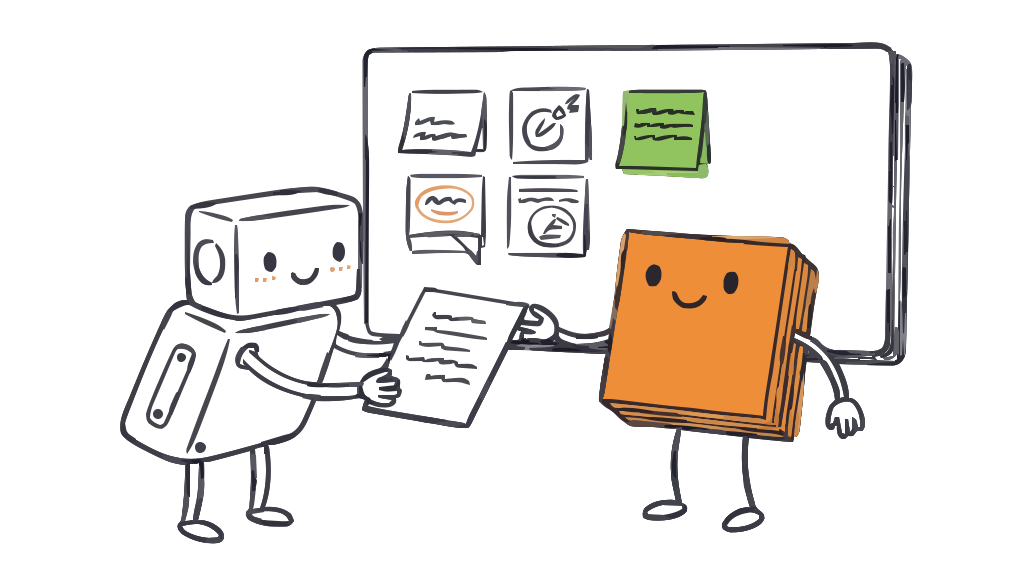
Then the human part, which doesn’t change:
- Read the brief before the retro: treat it as one more participant’s pre-read, not the agenda.
- Put the top one or two items on the board, next to what your people brought. Now the AI’s
missing-documentationnote sits alongside a teammate’s “onboarding took me a week”, and you can see they’re the same problem. - Discuss and decide as a team. The agent surfaced the item; the humans in the room own what happens next. Some items you’ll action, some you’ll park, some you’ll disagree with. All fine: that’s a participant contributing, not a system dictating.
There are two ways to close this last step, and the first one costs nothing:
- With any retro tool. The brief is just a document. Read it before the meeting, add the top item or two to whatever board you run, sticky notes included. The whole practice works this way, end to end, without TeamRetro or any other specific product.
- With TeamRetro, the agent posts for itself. If your team runs its retros in TeamRetro, the agent can prepare its recommendations from the log and, with your confirmation on each item, post them through the TeamRetro MCP server: parked items queued for your next retro, actions when a fix already has an owner, or ideas contributed straight onto a running board. Every posted item is prefixed
[AI retro], so the room can see which participant raised it. That’s the difference in one line: instead of you carrying the AI’s feedback to the meeting, the participant hands it in itself.
Getting started in about 10 minutes
The whole thing is open source under an MIT license. The teamretro-skills repo covers both paths: ai-session-retro (writes the end-of-session entry) and ai-retro-brief (synthesizes entries into the pre-retro brief) need no product at all, and teamretro-post-recommendations adds the posting path for TeamRetro teams. A tool-agnostic prompt pack rounds it out.
To start:
- Clone the repo and drop the skills into your Claude Code setup, or lift the prompt pack if you work in something else.
- Not on Claude Code? The prompt pack is written to work with Cursor, GitHub Copilot, or any agent you can hand a system prompt: same four-part entry, same ten labels, same “no finding without a fix”.
- Run one session with it on. At the end, read the entry it wrote. That first read is usually the moment it clicks: the agent will have named something about your project you half-knew and never wrote down.
Point the entries at a docs/ai-retros/entries/ folder in whatever repo your agents work in, commit them, and you’ve started.
Honest limitations
This is a young practice and it earns trust by being straight about what it can’t do.
- An AI can’t see all of its own mistakes. Some
agent-errorfriction is invisible to the agent that made it. It doesn’t know what it doesn’t know. Human review isn’t optional garnish; it’s how the blind spots get caught. This is why the AI stays a participant and never the judge. - One entry is an anecdote. You need roughly five entries before the patterns mean anything. A single session’s friction might be that session’s bad luck; the same label five times is a signal. Give it a couple of weeks before you conclude much.
- The agent reports its experience, not the ground truth. When it says the docs are wrong, check: sometimes the docs are right and the agent misread them. That’s still useful (it means the docs are easy to misread), but it’s a different fix.
- Garbage briefs make garbage entries. The practice surfaces friction; it doesn’t invent insight where there was none. A session with a clear brief and a clean repo produces a short, boring entry, which is exactly right.
None of that undercuts the case. Your AI agents are already doing the work and already hitting the walls. The only question is whether you find out. Give them a minute at the end of the session to tell you, read what comes back with a human’s judgment, and bring the honest parts into the retro you already run. That is where a participant’s feedback belongs: right beside your people.
We ran the whole loop on our own team, agents included. See what happened when our AI teammates joined our retro.
Building context files for your agents? See why context engineering needs a feedback loop. And if you’re new to running retros at all, start with how to run an agile retrospective.
Related posts
- September 23, 2026CLAUDE.md for teams: how we turned five people's AI memories into shared rules
- July 18, 2026The best team health check tools in 2026
- July 18, 2026Our AI teammates joined our retro
- July 16, 2026AI in Agile Project Management: What Teams Need to Know
- July 13, 2026Context engineering needs a feedback loop
- June 19, 2026The best collaboration tools for remote teams in 2026 (and the layer most stacks miss)
- June 16, 202660+ icebreaker questions for agile and scrum teams
- June 8, 202673 teamwork quotes to motivate and inspire your team