n8n Integration
Hook your TeamRetro retrospectives, health checks, and estimation sessions into the tools your team already uses. With n8n, pipe outcomes to your dashboards, docs and 1,000+ apps, in real time.
How it works
Install the TeamRetro node
Search “TeamRetro” in n8n’s nodes panel (Cloud), or go to Settings > Community nodes > Install and enter
n8n-nodes-teamretro(self-hosted).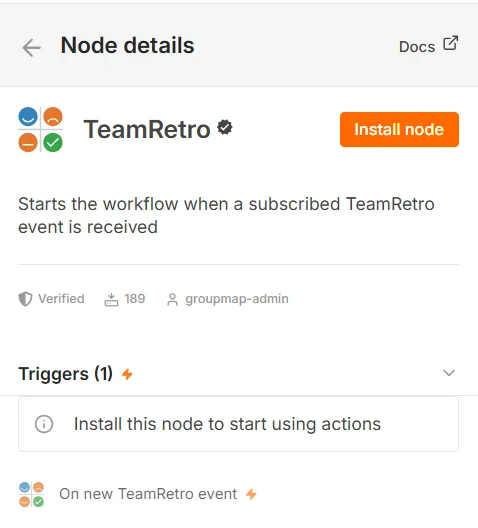
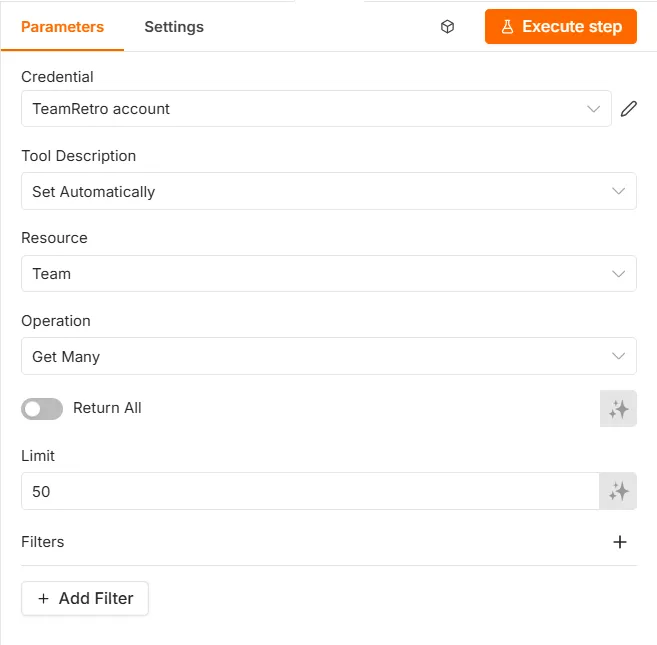
Connect your TeamRetro account
Create an API key in TeamRetro under Account > Settings > API & SCIM, paste it into a new TeamRetro credential in n8n, and pick your region (US or EU). Click Test to confirm the connection.
Listen for events in real time
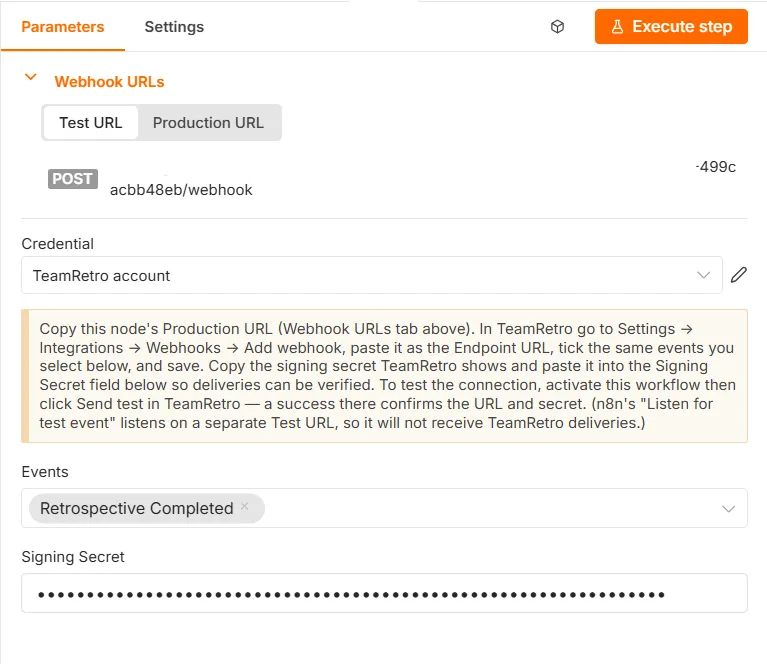
Add the TeamRetro Trigger node, register its webhook URL in TeamRetro, and events arrive the moment they happen: signed, verified, and with no polling.
Hook TeamRetro into everything else
Your retrospectives, health checks and estimation sessions produce moments worth acting on. Connect TeamRetro to n8n and those moments become workflows across 1,000+ tools, with real-time triggers and no polling. The decisions a team makes in a session flow to where the work actually happens, so nothing is stranded in a meeting no one revisits.
Put your team health data where your metrics live
Health checks are a signal, but they’re most powerful next to your other engineering metrics. When a health check completes, this workflow writes every dimension score to Google Sheets or Postgres, ready for the dashboard you already have. Add the optional alert branch and get pinged when a dimension drops sprint-over-sprint.
Works with: Google Sheets, Postgres, and anywhere your BI reads from.
Walk into your retro with the board already full
The sprint’s real talking points already happened: in standups, in incident calls, in that meeting where everything went sideways. This workflow takes a meeting transcript from Zoom (or Fathom, Grain, Otter), asks AI to pull out the themes, and pre-seeds your next retrospective with ideas ready to discuss. Facilitators start the session with substance, not silence.
Works with: Zoom, Fathom, Grain, Otter, and your AI provider of choice.
Turn incidents into learning, automatically
The moment a Sev-1 is resolved in PagerDuty or Sentry, this workflow creates a blameless postmortem retrospective seeded with the incident facts as discussion points. Nothing depends on someone remembering to schedule it. The retro exists before the adrenaline wears off.
Works with: PagerDuty, Sentry.
…or build your own
The node covers the full TeamRetro API (88 operations across retrospectives, health checks, estimations, actions, agreements, insights and reports) plus the TeamRetro Trigger node for 19 real-time events. If you can describe the workflow, you can build it. It pairs well with n8n’s AI agent nodes too: give your agent TeamRetro as a tool and ask it questions about your teams.
Frequently asked questions
How do I install the TeamRetro n8n node?
How do I connect n8n to my TeamRetro account?
Which region should I choose?
https://api.teamretro.com and EU accounts use https://api.eu.teamretro.com. The node adds the API version automatically, so you only choose the region.Which TeamRetro data can the n8n node reach?
Can n8n react to TeamRetro events in real time?
Do I need to write code?
Looking for step-by-step instructions?Read the setup guide
Enterprise-grade security, compliance, and control
TeamRetro is SOC 2 Type 2 accredited by an independent auditor who has evaluated our policies, product, platform, and infrastructure in accordance with the Standard on Assurance Engagements (ASAE 3150). Explore TeamRetro for Enterprise.



GDPR compliance and regional hosting (US & EU)

Single Sign-On (SSO) via SAML

SCIM for scalable user provisioning

Audit logs available on request
We maintain 99.99% uptime, with fast-response SLAs to ensure your teams stay productive and supported.Explore enterprise